
I'm Ming. Alongside product design at vm0, running our content is also part of what I do, and there turned out to be a lot more to it than I expected: workflow design, illustrations, image production, CMS work, translations. This is how I've gradually been getting it done.
Content is one of the things I do here
Most of my day at vm0 is split between product design and our Next.js codebase. But running our content is also on my plate, and once I started, I realized how much actually goes into a blog that performs. You need consistent output, real keyword research, brand-coherent visuals, decent meta descriptions, and translations into the four languages we support.
When I started doing this seriously, every post took most of a day. The writing turned out to be a small slice of that. Most of the time went into the production work around the writing: finding the right keywords, making cover art, getting fields right in the CMS, redoing it for each locale.
So I've gradually moved as much of that pipeline as I can into Lucas, an AI marketing agent I built on Zero around my own day-to-day work. He's configured as "Marketing manager," and his scope is anything marketing-related: blog production is the most built-out piece today, and he keeps growing as I add skills and connectors over time.
Right now Lucas has access to our Strapi headless CMS, our Ahrefs account, our team Slack, our web chat, an internal draw skill for brand-consistent illustrations, plus the standard copywriting skill for the writing mechanics.
Below I'll walk through how this AI blog automation works in practice: how Lucas takes a vague prompt, decomposes it into topic and keywords, drafts a post, draws a cover, runs the text through naturalistic translation, and lands four locale drafts in our headless CMS. Then I'll talk about how I got here, and what I deliberately leave for humans (still mostly me).
How I use Lucas: web app and Slack
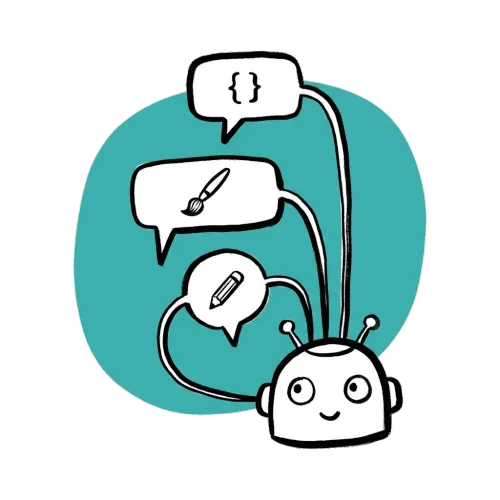
I mostly work with Lucas through vm0's web chat. It's the deep-work interface where I sit with him through outlining, drafting, cover iterations, and edits. Long threads, long context, the kind of back-and-forth that would be awkward in a chat channel.
Lucas is also wired into our team Slack, as a shared entry point. I drop quick prompts there from my phone, and the rest of the team can ping him too. Whoever's on the blog rotation kicks off a post the same way. Same agent, same context across both interfaces.
What a typical prompt looks like
My prompts to Lucas are usually short. Three sentences max. A representative one:
Lucas, write a tutorial on running effective weekly meetings: cover meeting structure, common pitfalls, and how to keep remote teams engaged. Tutorial style, SEO-friendly, end with a CTA to use Zero. Draft link only, don't publish.
That's the whole brief. One message. No outline, no keyword list, no design brief, no length target. Lucas takes it from there.
It took me a while to land on this format. Early on I'd write much longer briefs because I assumed the agent needed everything spelled out, and then realized most of the context belongs in his standing instructions and skills, not in each prompt. The prompt is a trigger; the rest of the configuration carries the weight.
How Lucas analyzes the topic and keywords

Lucas's first move is to extract structure from a vague prompt. For a request like the one above, his working notes look like:
- Topic: running effective weekly meetings
- Format: tutorial → numbered steps, concrete examples, "do this" language
- Implied audience: team leads, remote managers, founders
- Required sections: meeting structure, common pitfalls, remote engagement
- CTA: drive readers to Zero
- Constraint: draft URL only, not published
Then he picks the keyword. This is the part of content marketing I had the least intuition for when I started, so I gave Lucas a routine to walk through whenever I prompt him for keyword work. It's not a skill he runs autonomously, just a sequence I trust him with:
- Pull candidates from Ahrefs. He calls the Ahrefs API on the topic phrase, returning long-tail variations with monthly search volume, keyword difficulty (KD), parent topic, and SERP intent.
- Filter by difficulty. I gave him a hard rule: KD < 30. vm0 is a relatively new domain with limited authority, so chasing high-KD keywords doesn't make sense for us yet. Long-tail wins early.
- Cross-reference our Strapi index. He pulls every published slug from our CMS via the Strapi REST API and removes any keyword we already cover. No cannibalization.
- Match intent to product fit. A keyword's intent has to be compatible with our use case library. "How to run effective weekly meetings" → operations / team management → fits. "Best ramen in Tokyo" → doesn't, no matter the volume.
- Pick one. From the filtered list, he picks the highest-volume option and uses it as the spine of the post. For example, remote weekly meeting best practices.
For on-page SEO he applies a simple heuristic: target keyword in the title, in at least one H2, and in the first 100 words. Synonyms and related phrases woven naturally throughout. Internal links to two or three related posts where they fit. After that: write naturally, no keyword stuffing.
The structure of the post (six or seven H2s, a "Tip:" callout under each step, a CTA at the close) comes from a tutorial template I built up by example over several posts.
How the cover gets drawn
The cover is the part of blog production I care about most, partly because I'm a designer and partly because it's what readers see before they read a word. It's also the Open Graph image when posts get shared on X or LinkedIn, and it's what makes our blog index look like a publication rather than a wall of stock photography.
Stock photos weren't an option for the look I wanted, and briefing illustrations one by one would have made the production cost per post unmanageable. So I built a Zero skill called draw. It's a 200-line Python script that does five things:
- Takes two inputs: a metaphor (what to sketch) and a color (a friendly name plus a hex anchor).
- Drops them into a fixed prompt template that locks down the rest of the composition: warm gray background
#eeeeee, watercolor blob centered in the canvas in the chosen color, hand-drawn ink sketch on top, vm0 logo at (25, 25) top-left. - Sends the composed prompt to fal.ai's
nano-banana-promodel at 16:9. - Downloads the PNG. Normalizes any near-white pixels back to exactly
#eeeeeeso the background never drifts. Upscales to 1600×900. Alpha-composites the transparent vm0 logo on top. - Uploads the result to vm0's CDN and prints the URL.
A typical invocation looks like:
python draw.py \
  --metaphor "a tilted hourglass with sand draining into a small open notebook, a sparkle near the rim" \
  --color-name "dusty rose" \
  --color-hex "#e08b96" \
  --upload
Two inputs and the rest of the brand stays consistent. I usually pick a color that suits the post's theme. Coral or sage for warmer tutorial-style pieces, blue or lavender for more technical ones, mustard yellow for announcements. A few recurring colors slowly turn the blog index into a recognizable palette.
The thing I worked out the hard way is that the leverage isn't in the model. It's in the template. Letting the model choose composition, palette, and layout freely meant every cover looked like a different brand. Locking those down and only letting it pick the metaphor keeps the look coherent post to post.
There's a sibling skill called illustration for in-article spot art (the smaller drawings you see between sections of this post). Same idea: fixed style, only the metaphor and color vary. Just tuned for square 1024×1024 art instead of 16:9 covers.
A small note on image SEO: the same cover image is wired up as the post's Open Graph and Twitter Card asset, so social shares pick it up cleanly. Strapi auto-generates four pre-resized variants on upload (thumbnail, small, medium, large), though I haven't yet wired the article body to load them via srcset. That's a small front-end TODO. Inline illustrations get descriptive alt text written into the markdown when Lucas embeds them; the cover's own alternativeText in Strapi is something I still want to backfill.
How the post gets written
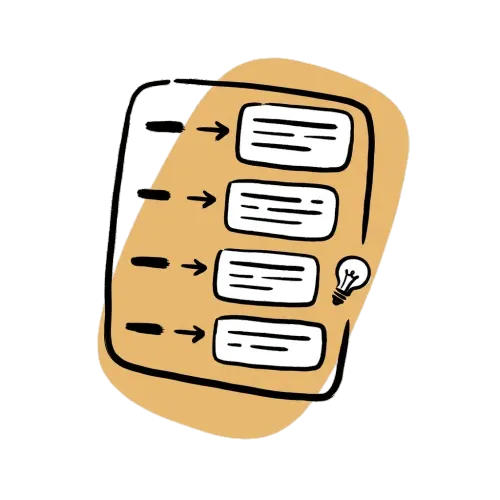
Once topic, keyword, and cover are pinned, drafting is mostly mechanical. Lucas:
- Outlines first. Six or seven H2s, each with a clear job: problem framing, step-by-step instructions, "Tip:" callouts, recap, CTA.
- Expands each H2 into prose using the
copywritingskill. The voice (short sentences, concrete examples, second person where it works, occasional dry humor) comes from rules I keep in Lucas's standing instructions, not from the skill itself. - Adds practical "Tip:" callouts under each step. Useful for tutorials because most readers skim, and the callouts give them a path through long content.
- Writes the post's
descriptionfield. Strapi caps it at 80 characters, so it stays short and reads like a human wrote it. It's used as the article subtitle and as the OG/Twitter card description. - Closes with a CTA that names the product and links to a free workspace.
A first draft usually comes back two or three minutes after the prompt. I read it, ask for tone adjustments where the voice is off, and Lucas iterates until it lands. The first draft is rarely shippable. It's usually mostly there but a bit off, and that's where I spend most of my review time.
How the draft lands in Strapi
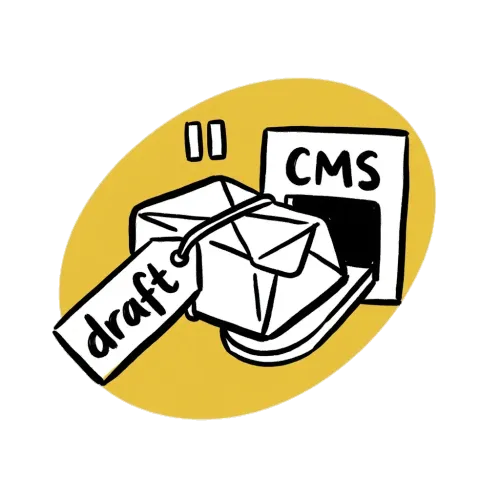
We use Strapi as our headless CMS. The articles content type has a cover (media), author and category (relations), locale (string), and a blocks dynamic zone where the body lives.
Lucas's CMS sync flow:
- POST the cover PNG to
/api/upload. Save the returneddocumentId. - POST to
/api/articles?status=draftwith title, description (≤80 chars; Strapi enforces it), slug, locale, the cover/author/category relations as numeric IDs, and a singleshared.rich-textblock containing the markdown body. - Critically: omit
publishedAt. Strapi treats null as draft state. - Return a preview URL using vm0's draft pattern:
https://www.vm0.ai/{locale}/blog/posts/{slug}?status=draft.
A heads-up on Strapi v5: the public REST API can override publishedAt on certain content types, which means a "draft" you create through the API may silently go live. The fix is a small DB migration that strips the field on draft writes.
The slug strategy also matters for SEO. We use one canonical slug across all four locales rather than translating it. A reader on /de/blog/posts/remote-weekly-meeting-best-practices sees the same URL structure as a reader on /en, and our backlink profile doesn't fragment across translated URLs. Emitting hreflang link tags from those locale relations is a small front-end TODO. We don't ship them yet.
How i18n translation works
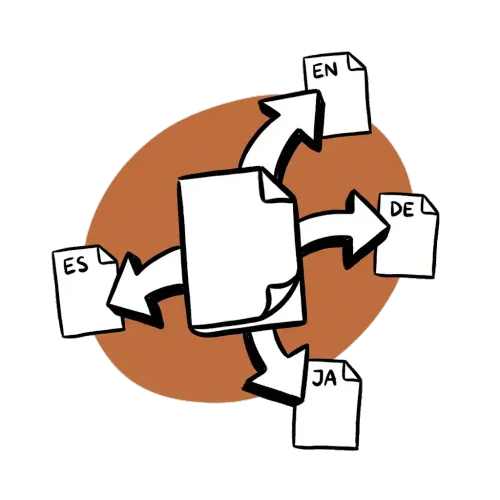
vm0 ships in four locales: English, German, Japanese, Spanish. We don't run posts through Google Translate. The cheap path destroys voice; the right path adapts idioms.
Lucas creates the EN draft first, captures the returned documentId, then issues three follow-up PUT /api/articles/{documentId}?locale=de (and ?locale=ja, ?locale=es) calls with naturalistically translated payloads. Strapi treats those as locale variants of the same canonical document, which keeps the four versions linked in the admin and on the front-end locale switcher.
Translation rules I gave him, mostly from running into the wrong outputs and correcting:
- Don't translate technical terms that are already English loanwords in the target language. "API," "CMS," "agent," and "prompt" stay in English in JA and DE. Translating them feels off in both languages.
- Adapt idioms naturalistically. A literal translation of "kills your Friday" into German is gibberish; a native version of the same metaphor lands.
- Re-tune CTAs per locale. Imperatives feel pushier in DE, so I tone them down; the JA version usually softens to a polite invitation.
- Re-tune titles for length. German titles tend to run ~30% longer than English equivalents. Japanese titles tend to be shorter. Lucas keeps titles under the 60-character SERP truncation limit per locale.
Multilingual content publishing was the part of the workflow that used to eat the most time. Now it's just the last step in the same agent run.
What doesn't get automated
A short, important section. Not everything in this workflow is automated, on purpose:
- Topic selection at the strategic level. Lucas picks keywords inside a topic, but the topic itself comes from me, usually from product launches, customer conversations, or roadmap shifts.
- Final editorial pass. I read every draft before it ships. Especially the EN version. Tone, accuracy of technical claims, callbacks to internal product context all need a human eye.
- Native review for languages I don't speak fluently. I don't read German fluently. The DE draft goes to a native reviewer for a final pass before publish.
- Promotion. Posting to X, sending to subscribers, sharing in communities are still manual for now.
The point isn't to remove me from the loop. It's to remove me from the parts of the loop that don't really need me.
How I arrived at this workflow
I didn't sit down one weekend and design this. It accumulated, post by post, from noticing which steps were eating my time.
What I noticed: the parts that were worth automating weren't the creative parts. They were the connective parts: the keyword pulls, the cover renders, the upload calls, the locale fan-out, the preview URL formatting. When I tracked it honestly, I was spending more time on logistics than on the actual writing.
So I gradually moved the logistics into the agent. The model writes; the agent handles the moving-things-around. I'm still the one making decisions about what to write and how it should sound, just no longer the one stitching pieces together.
For me, content automation in practice didn't end up being "the AI writes the blog." It ended up being "the AI does everything around the writing, so I have time to actually look at the writing."
If you want to try something similar
If you're in a similar spot, wearing more hats than you'd like with content as one of them, most of this is reproducible:
- An agent platform that lets you give the agent persistent role and skills (we use Zero, where Lucas lives).
- Connectors to your existing tools: your CMS, your keyword research tool, your image generator, your Slack.
- A small set of skills tailored to your brand (in our case
drawfor covers andcopywritingfor tone). - Standing instructions that carry context, so prompts can stay short.
Or if you'd rather see more agent workflows before signing up, our use case library has 19 ready-to-copy automations across engineering, product, marketing, and operations.
If you'd like to clone Lucas specifically: create an agent, give him the role Marketing manager, connect Strapi (or your CMS) + Ahrefs + an image gen tool, add a draw skill modeled on yours, and a copywriting skill that captures your brand voice. He'll figure out the rest from your first prompt.


