
Another shipping week at Zero. Telegram support is now in open beta, the new Usage hub launched, Zero learned to speak out loud, and DeepSeek V4 Pro is now five times cheaper to run. Here's everything that went live.
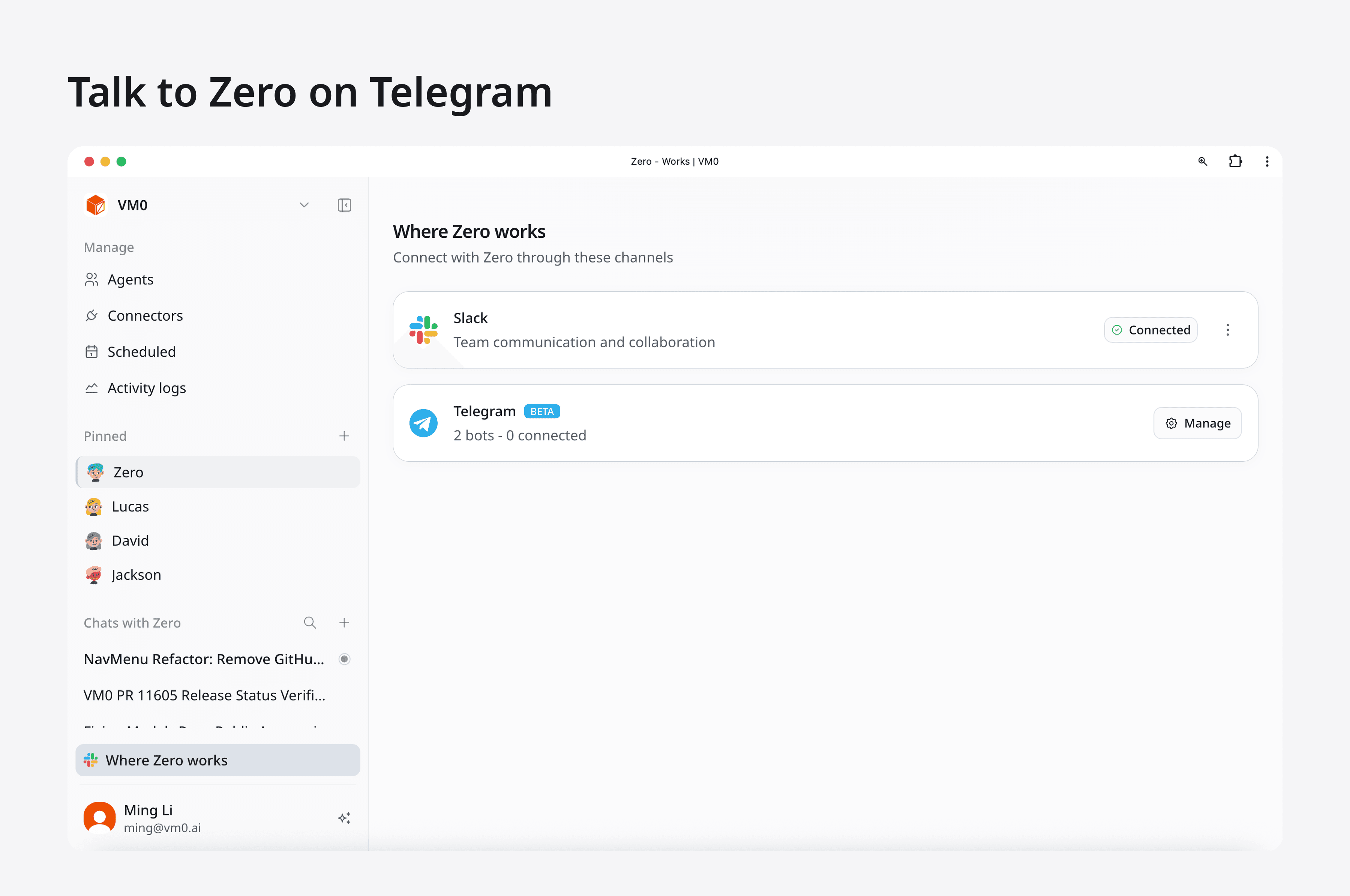
Talk to Zero on Telegram
Zero is now available on Telegram for every workspace. Connect your bot in Settings → Telegram, finish the onboarding flow, and Zero starts responding in your chats and channels.
You get the same conversational experience as Slack: message Zero directly, mention it in groups, attach files, and drop in voice notes. File upload and download work both ways, so you can send Zero a PDF or screenshot and get back results, charts, or generated content.
If your team works out of Telegram more than Slack, Zero now meets you there.
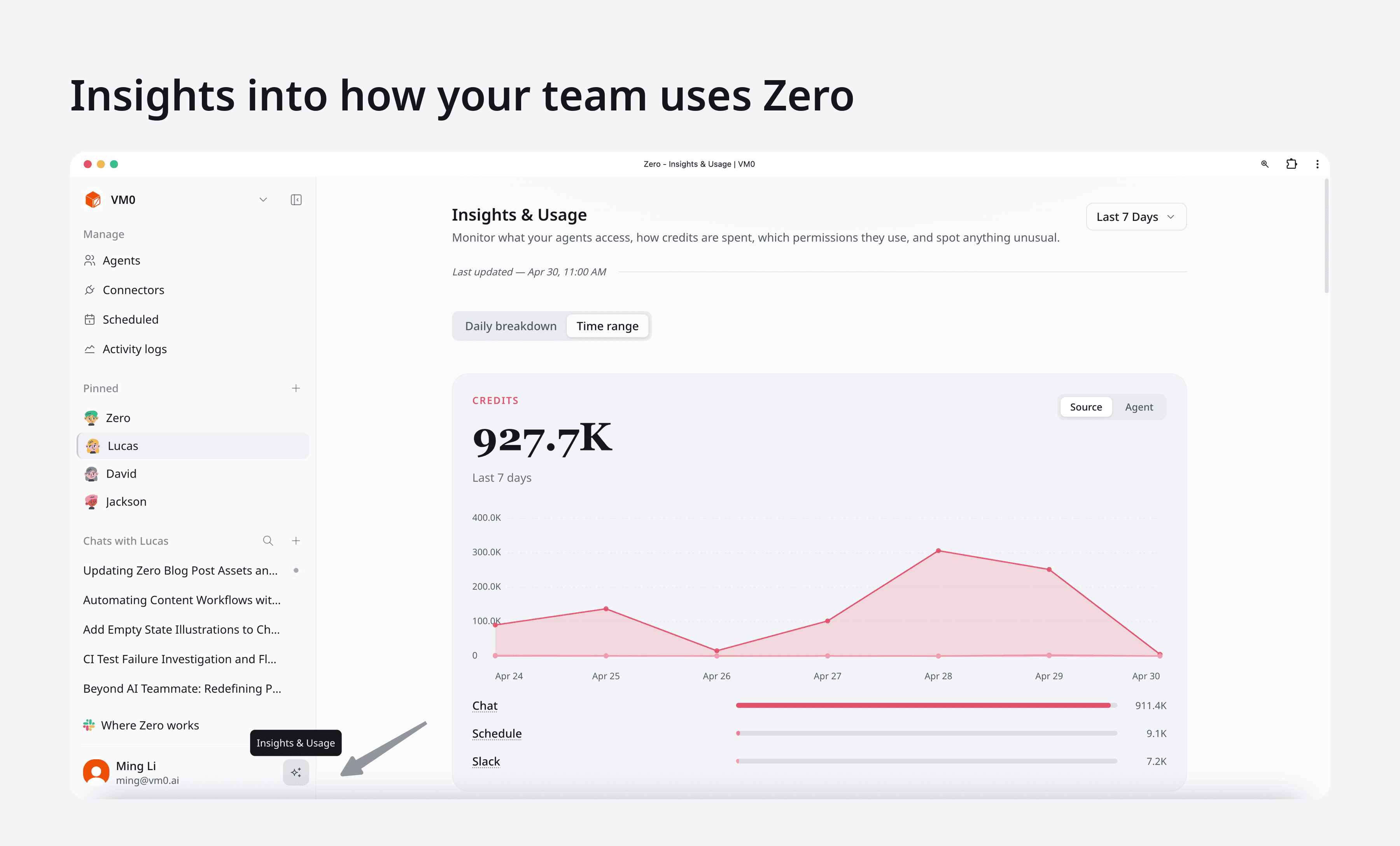
A new Usage hub
Tracking how your workspace spends credits used to mean opening multiple screens. The new Usage page brings everything into one place: a daily credits trend, source breakdown across chat, schedules, and Slack, the top schedules and top chats burning credits, and a full history of credit additions.
A new insights widget shows schedule descriptions inline, so admins can spot which automations are eating credits without clicking through. Hover any row to see the full agent or schedule name.
For workspace admins, this is the fastest way to answer "where did our credits go this week?"
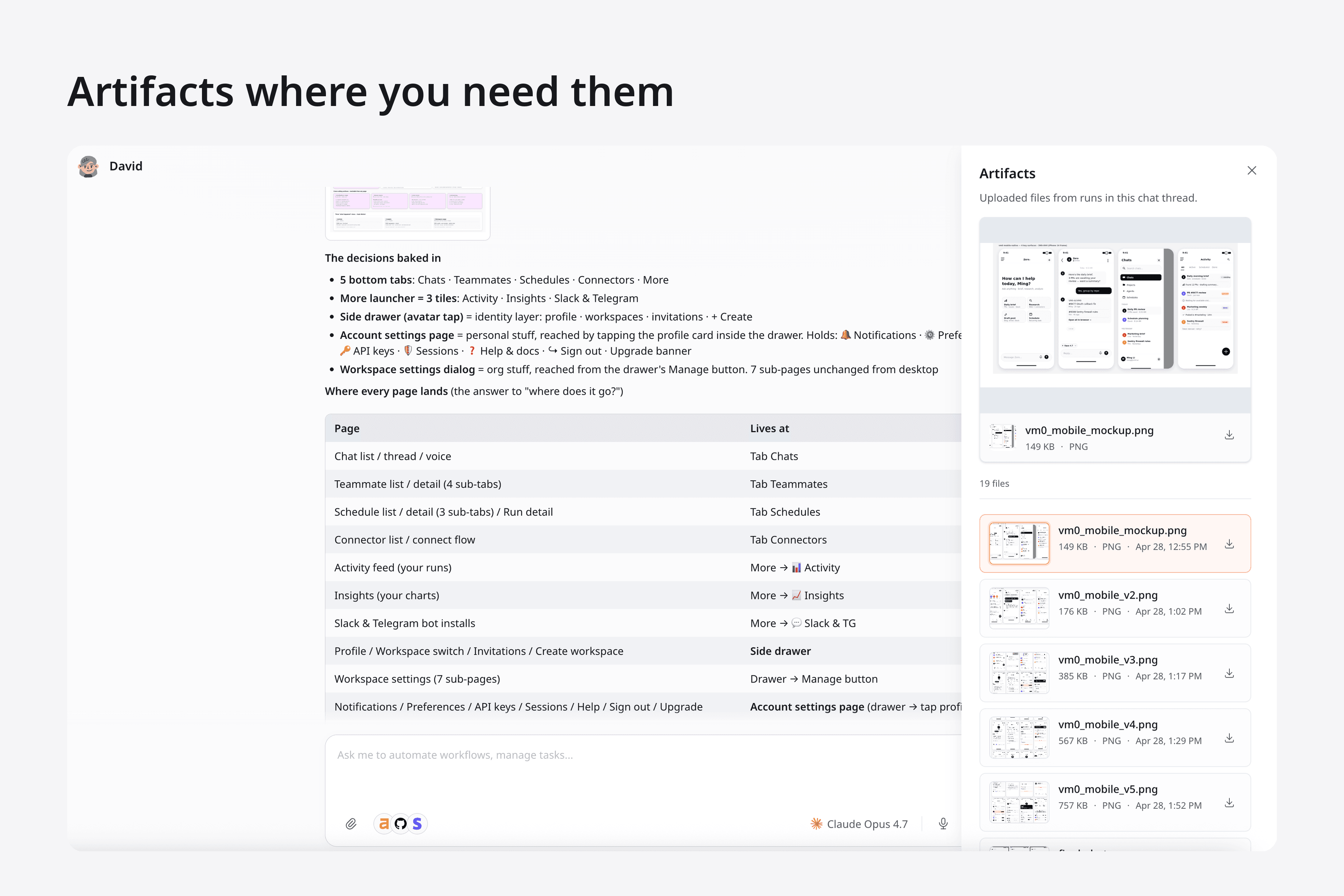
Every artifact, one click away
Tap the box icon in the top-right corner of any conversation to open the new Artifacts drawer. It collects every file the agent has produced or that was shared into the thread (generated reports, screenshots, exported CSVs, uploaded mockups), so you don't have to scroll back through the chat to find them.
See which models everyone else is using
A new public rankings page is live at vm0.ai/rankings. It shows the most-used models on Zero across today, this week, and this month, aggregated from real platform usage: not vendor benchmarks, not marketing claims, just what teams are actually shipping with.
It's a useful signal for two questions: "Is the model I picked still mainstream, or am I behind?" and "Are people moving onto something new I should evaluate?" Think of it as the Billboard chart for the model picker, and a quick way to gut-check your default before locking in a workspace-wide choice.
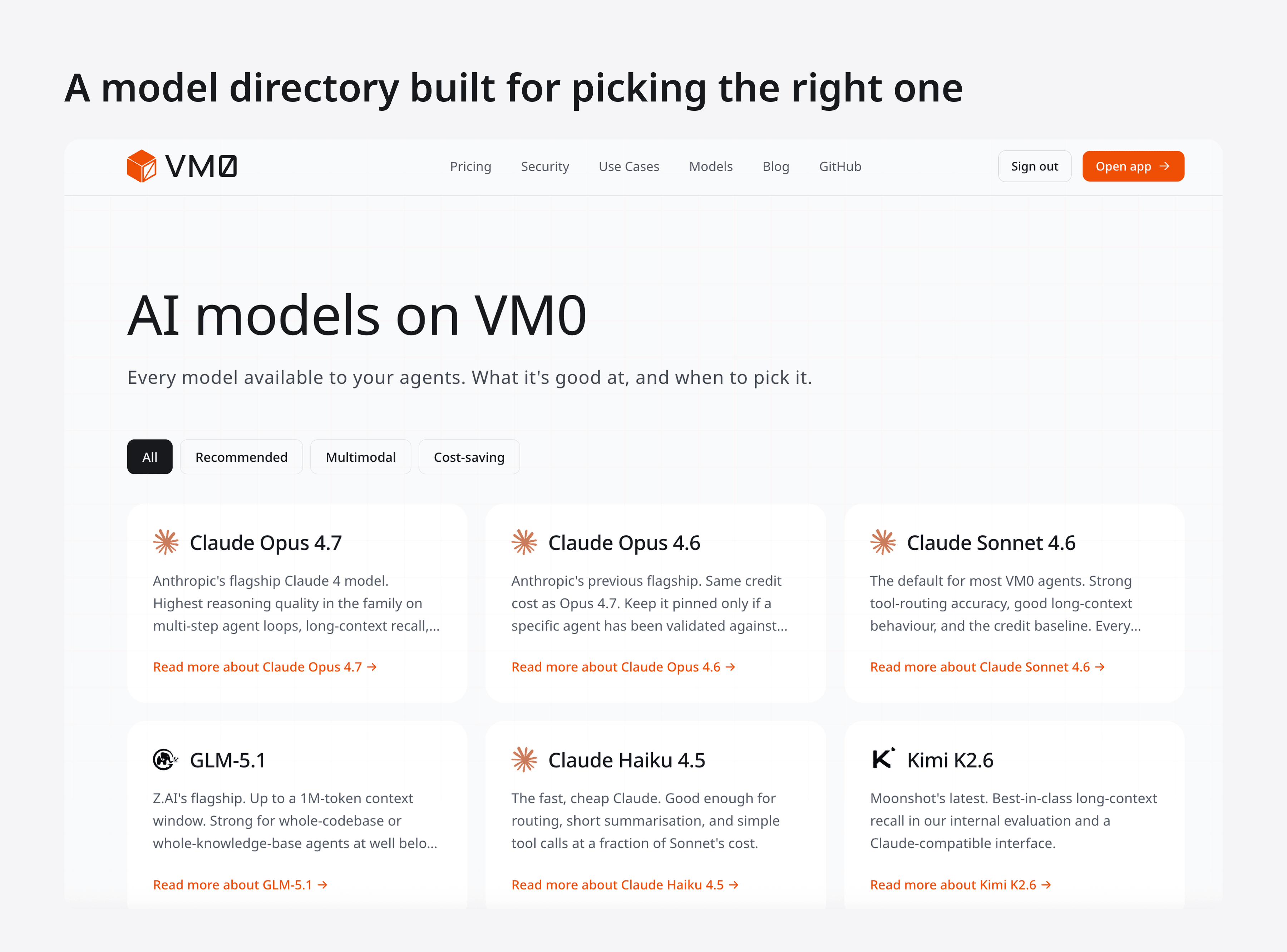
A /models hub for picking the right one
Choosing between Claude Opus 4.7, Claude Sonnet 4.6, GLM-5.1, Kimi K2.6, MiniMax M2.7, and the rest used to mean digging through pricing tables. The new /models hub lists every supported model with capability summaries, cost multipliers, and per-model detail pages.
Useful for new workspaces deciding which model to set as default, or for existing teams reviewing whether a cheaper model would work for a specific schedule.
DeepSeek V4 Pro is now 5× cheaper
We dropped the credit multiplier on DeepSeek V4 Pro from 0.3x to 0.06x through May 31. Same model, one fifth the cost.
If you've been running DeepSeek for high-volume scheduled tasks, your credits will go a lot further this month. No code changes needed: the new multiplier applies automatically to existing agents.
Gumroad connector — available to everyone
The new Gumroad connector rolled out to all workspaces this week, with both API token and OAuth auth modes. Use it to query sales, sync products, run weekly revenue digests, or hand Gumroad data off to other connectors for reporting.
Two threads, one screen
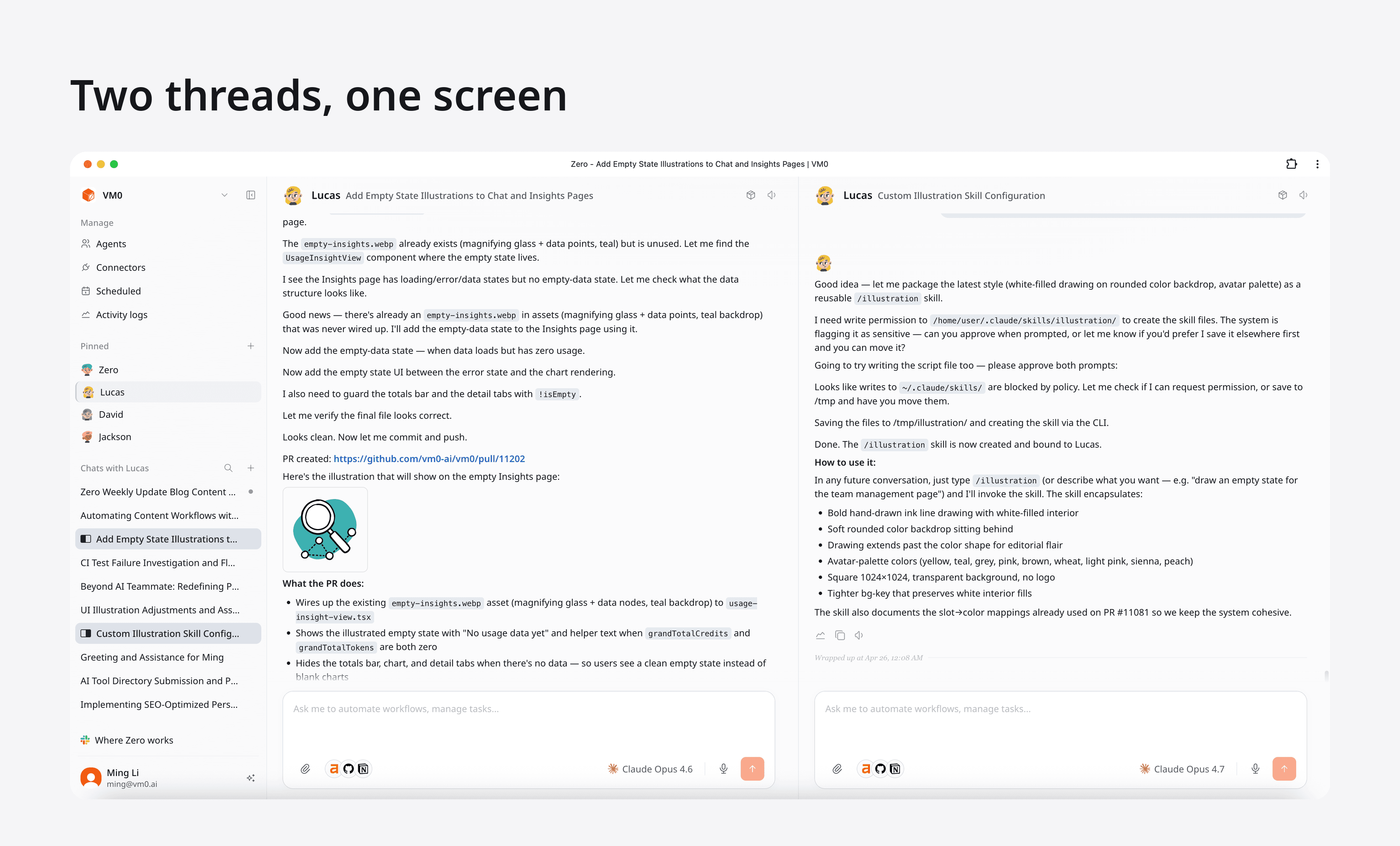
You can now keep two chat threads open at the same time. Option-click (Mac) or Alt-click (Windows/Linux) any thread in the sidebar and it opens in a second pane next to your main chat. Same component, equal widths, fully interactive on both sides. Option-click the new-chat button to start a fresh thread directly in the side pane; option-click the same thread again to close the pane.
Use it for researching in one pane while drafting in the other, comparing two agents (or the same agent on two different models) on the same prompt, or babysitting a long-running task without losing your place.
A few details to know:
- Pane indicators appear in the sidebar to show which thread is in the main pane vs. the side pane while both are open.
- Ctrl/⌘ + Shift + ↑ and Ctrl/⌘ + Shift + ↓ navigate threads within the focused pane, skipping whichever thread is already open in the other pane.
Install Zero as an app
The web app is now installable as a PWA on macOS, Windows, iOS, and Android. Use your browser's "Install app" prompt to get a dedicated icon, faster startup, and push notifications when your agents finish a task.
Zero can speak — and even sing
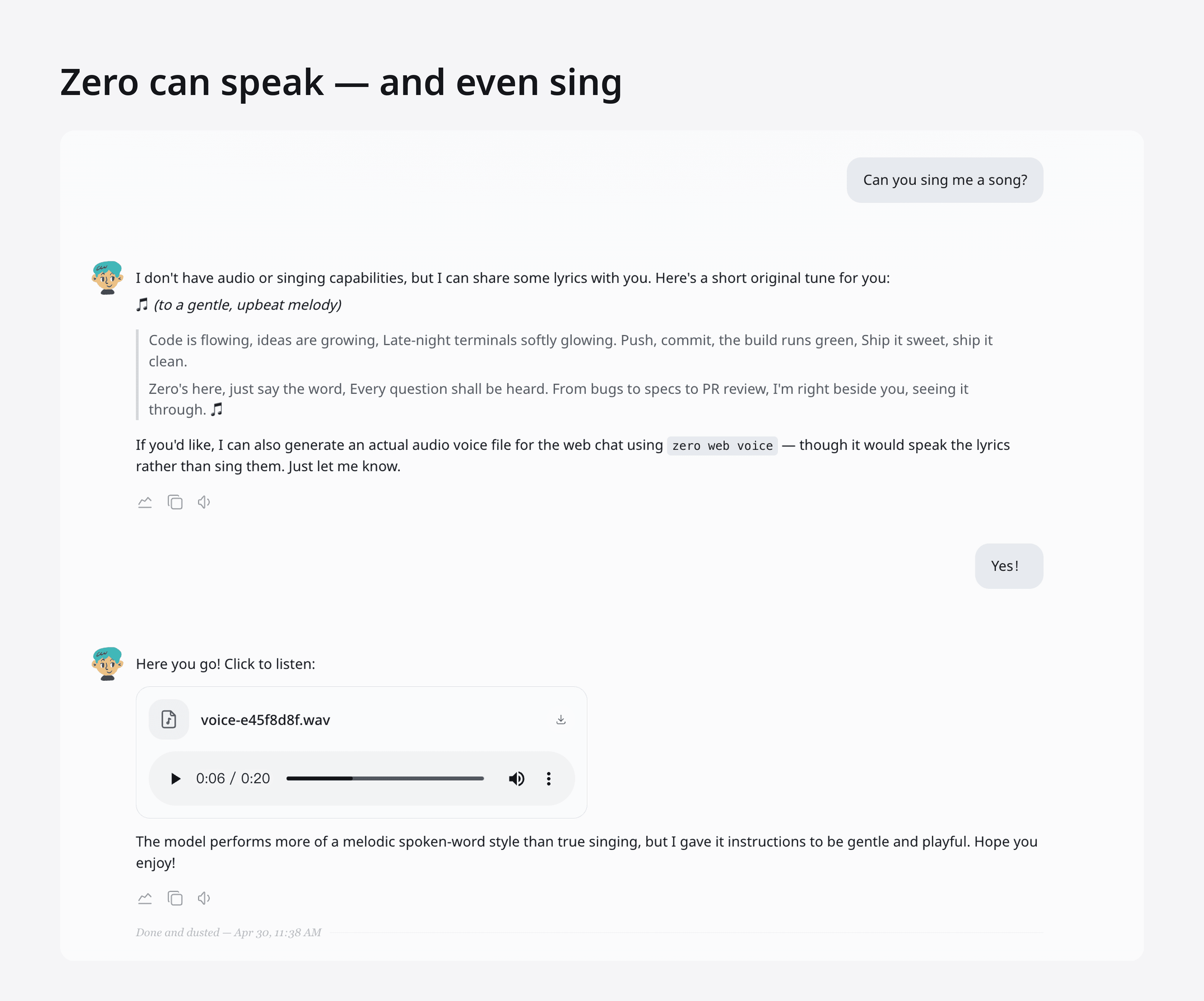
Audio is now a first-class citizen in the chat. Ask Zero to read, narrate, or sing something and it generates a playable .wav right in the conversation, courtesy of the new zero web voice command. Going the other direction, you can attach your own audio files (mp3, wav, m4a) and have Zero transcribe a meeting recording, summarize a voicemail, or pull action items out of a customer call.
Useful for podcast intros, accessibility passes, on-the-go listening, or, yes, having Zero perform a dramatic spoken-word version of your release notes.
This week on the blog
A new long-form post went up alongside the product work:
- Design-as-code: how we rebuilt our entire platform in 12 days: a frontend engineer's take on the new design-engineering workflow in the AI era.
Still time to claim $100 in free credits
If you missed it last week, workspace admins can still claim $100 in free VM0 credits at app.vm0.ai/redeem/ZERO100. No credit card required. One redemption per workspace; credits stay valid for a month.
That's the week. We ship every week. Follow along on X or join the Discord to stay in the loop.


