
A polish week. Word docs, spreadsheets, slide decks, and a long list of other formats now drop straight into chat. Image uploads stop silently failing on text-only models. The use-cases gallery got a real glow-up, both in how it reads and how it looks when shared. And chat got a quiet performance bump under the hood.
Here's everything that went live.
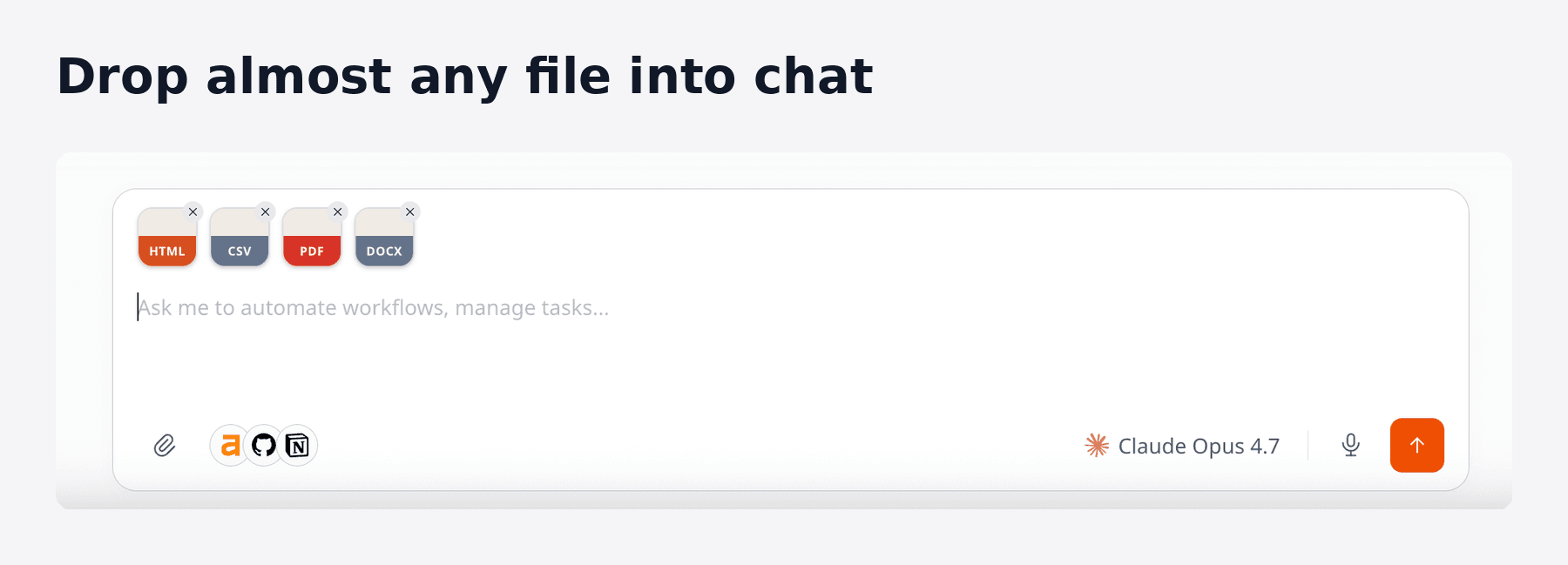
Drop almost any file into chat
You can now upload Word docs, Excel sheets, PowerPoint decks, OpenDocument and iWork files, PDFs, ebooks, archives, design files, and a long list of others, directly into a conversation.
Ask Zero to summarize a deck, pull numbers from a spreadsheet, or rewrite a doc without converting anything first. The platform also gets smarter about file types when your browser hands them over without one, so a .docx saved without an extension still uploads as a Word document.
If your team works mostly in office suites, this should remove the most common reason a Zero conversation needed an extra step.
No more silently broken image uploads
Picking a model that can't actually see images was, until this week, an easy way to send a screenshot into a void.
Now, the moment you attach an image to a chat using a text-only model, the composer warns you, and offers a one-click switch to a vision-capable model (it'll suggest Claude Sonnet 4.6 by default). The same nudge appears whether you drag a file in or paste from the clipboard.
It's a small change, but the kind of paper cut that quietly costs everyone time.
A sharper use-cases gallery
Two changes to vm0.ai/use-cases:
1. Reordered by what's actually useful. The gallery now leads with engineering and operations workflows that have measurable impact (error triage, product health briefings, release readiness) and pushes generic "everyone" use cases lower. Faster to find something relevant to your role.
2. Every page has its own preview card. Share a use case in Slack, on X, or anywhere else with link previews and you'll now see a clean card with the actual title, description, connector icons, and stats, not a generic vm0 logo. Cards are localized, so a German viewer sees a German preview, a Japanese viewer sees a Japanese preview, and so on.
Titles and descriptions across all four locales (English, German, Japanese, Spanish) were also rewritten for search. If you've ever lost a use case to vague phrasing, that should be better now.
Two new use cases
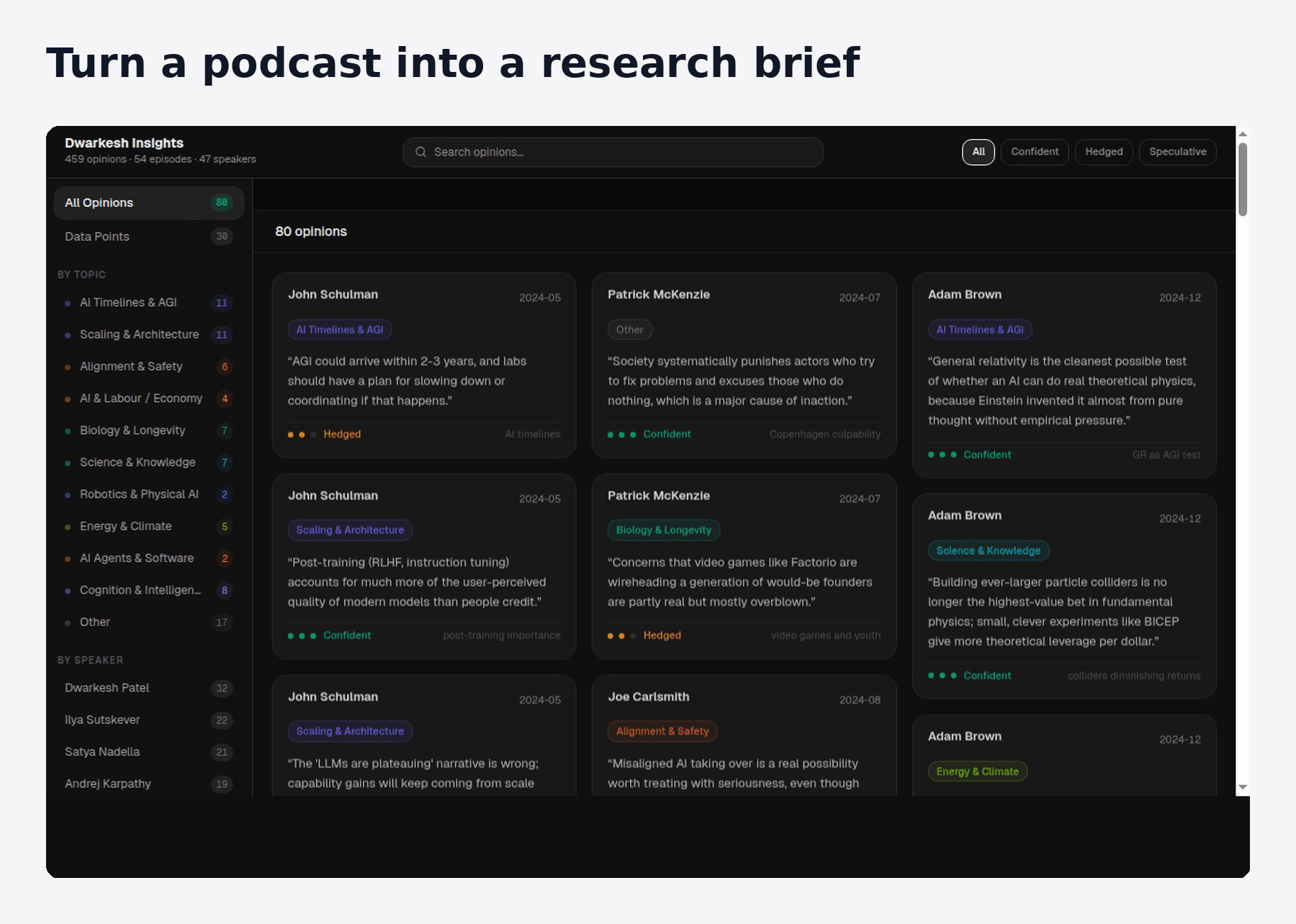
Turn a podcast into a research brief. Drop in a long interview, get back a structured summary of the key points, quotes, and themes. Useful for catching up on shows you don't have an hour to listen through.
Make a promo video from a script. Zero can now hand a script to HeyGen and ElevenLabs and produce a finished, narrated video with an avatar, start to end. The pipeline is wired into the use case page, so you can see exactly which connectors do what.
Faster, leaner
Chat is snappier. We removed a redundant database lookup that ran on every message you sent. Messages dispatch a little faster, especially on busy workspaces. You probably won't notice it consciously. That's the goal.
Quiet wins under the hood. A few infrastructure changes to keep your scheduled jobs running smoothly: we tightened how Zero handles very large compressed responses (so they can't briefly hog memory), and trimmed some overhead on long-running sandbox tasks. No action needed on your side.
This week on the blog
Two long-form posts went up alongside the product work:
- A broker holds your keys. Not your AI agent. Why your AI agent shouldn't see your tokens, traced from a 1988 incident at Tymshare to today's prompt-injection attacks. Required reading if you're putting agents anywhere near production credentials.
- How I automate our blog production end-to-end: a behind-the-scenes look at the workflow producing these weekly posts, built entirely on Zero.
Still time to claim $100 in free credits
Workspace admins can still claim $100 in free VM0 credits at app.vm0.ai/redeem/ZERO100. No credit card required. One redemption per workspace; credits stay valid for a month.
That's the week. We ship every week. Follow along on X or join the Discord to stay in the loop.