You control what Zero can do — connector by connector, action by action. Defaults are conservative: read before write, ask before sending, and a single click revokes access entirely.
The short version
- Zero never sees your passwords. You connect each tool with OAuth or an API token. The credential stays on VM0's platform — it's never sent to the model, written to a log, or shown back to you.
- Every action is logged. Open any chat to see exactly which APIs Zero called, with what arguments, and what came back. Admins see the same view across every member.
- You can revoke in one click. Disconnect a connector and Zero immediately stops being able to use it. Your credential gets deleted from VM0 within minutes.
- Sensitive actions ask first. Sending external email, moving money, posting publicly, deleting data — Zero always pauses and waits for your approval before doing any of these.
Permission grants per connector
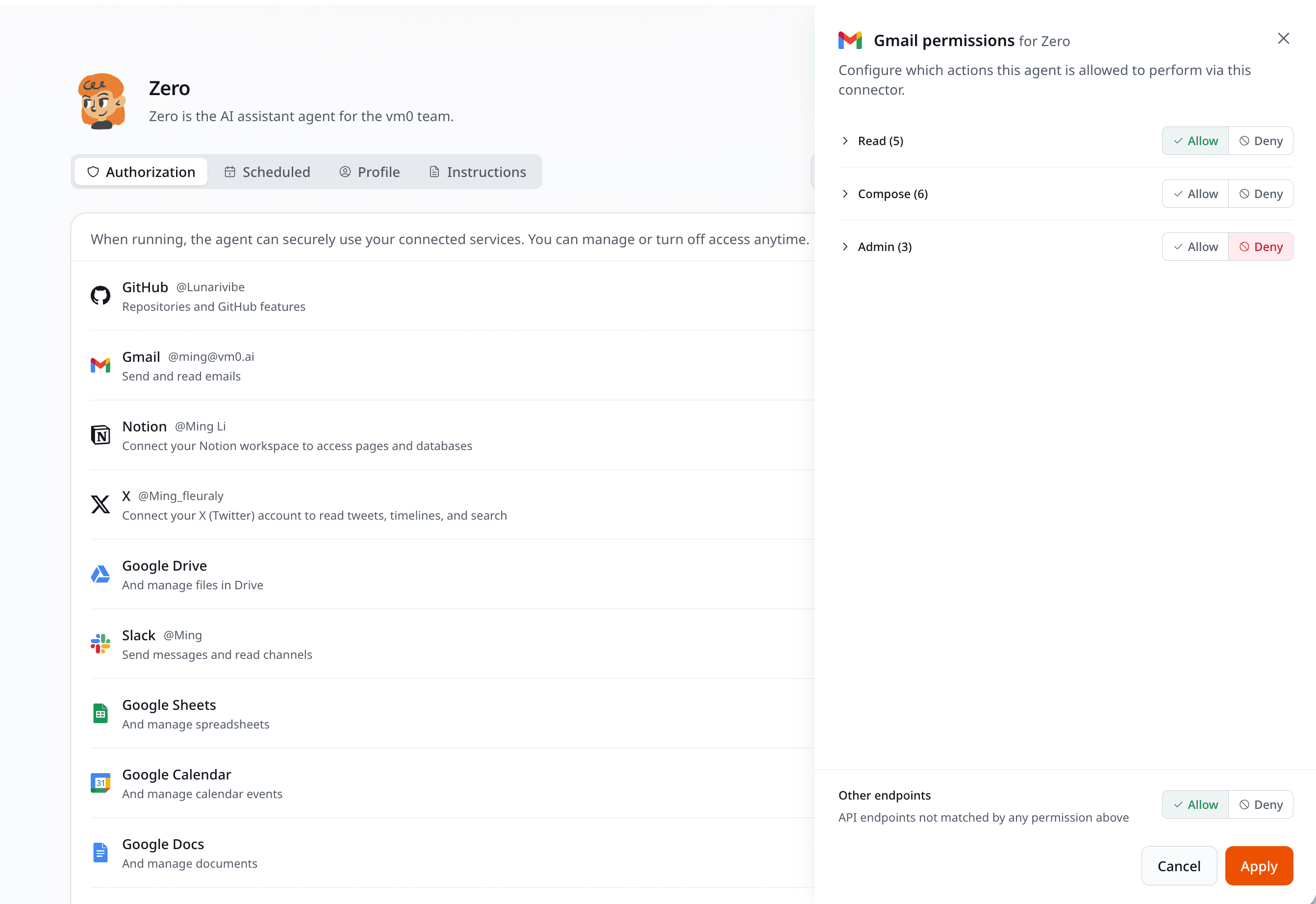
Each connector has its own fine-grained permission model:
- Read-only by default for most data sources. Zero can search your Notion, your Gmail, your GitHub repos without being able to modify anything.
- Write access requires an explicit grant. Granted per connector or per workspace. "Zero can read my Slack but can only post in
#cs-replies." - Sensitive actions require per-chat approval regardless of the broad grant. "Send an email to an external address" and "charge a customer's card" always pause for a human glance.
You manage these grants on the Connectors page in your workspace. Each connector shows the actions it's currently allowed to take.
Sensitive-action approval
Some actions always pause and ask for your approval before they happen. The defaults are conservative — better to pause than to surprise:
- Sending email to an external address (internal addresses inside your domain are usually allowed)
- Charging a card, issuing a refund, or moving money via Stripe or banking connectors
- Posting publicly under your name on X, LinkedIn, Threads, or company blog
- Deleting non-trivial amounts of data — say, more than 50 records or any single record from a "critical" data source
- Inviting users to a paid workspace or making admin changes
- Modifying production infrastructure through Vercel, AWS, or similar connectors
When a sensitive action comes up, Zero pauses and asks you to confirm before continuing.
What admins can see and do
Audit logs follow the individual. Each member sees their own chat history, tool calls, and approvals — admins do not get a cross-member view of what anyone is actually working on.
What admins do see is member-level credit usage — who is spending, on which skills and schedules, and where the budget is going. The full breakdown lives on the Credits & billing page.
Admins can also:
- Restrict which connectors are available workspace-wide
- Revoke any member's connector tokens
Members keep full visibility into their own chats, connectors, and usage.
What's next
- See Chat for what happens inside a chat boundary.
- See Connectors for the catalog and what each one can do.
- See For teams for org-level permission setup.