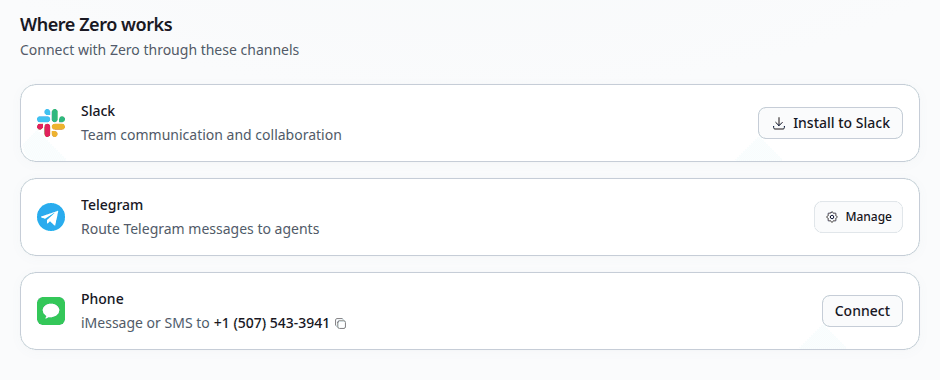
An integration is a surface where you talk to Zero. The work Zero does is the same across all of them — same skills, same connectors, same permissions, same chat model. What differs is the ergonomics and the kind of task each integration handles best.
Most teams use two or three integrations in parallel: web for the heavy work, Slack for the day-to-day, Telegram or phone for the moments you're away from a screen. There's no "primary" integration; pick the one that fits the task.
The four integrations
- Web chat at vm0.ai — the default home. Long-form work, file uploads, multiple chats, full chat log inline. Use it for any task that needs more than a sentence of context, or that produces an artifact you'll edit immediately.
- Slack — Zero ships as a Slack app. Use it in channels for team-visible work (triage, digests, channel-wide questions), or in DMs for personal work. Replies in threads keep channels clean. Most teams' usage centers here.
- Telegram — bring your own bot from BotFather. Each bot is bound to one agent. DM the bot for personal work, or add it to a group with privacy mode disabled for team flows. The right fit when Slack isn't an option, or for a personal mobile channel separate from your team's workspace.
- Phone — iMessage, SMS, or MMS to a dedicated VM0 number. No app, no install. Best for very short asks, approvals, and replies while you're away from a screen.
Picking the right integration
A rough decision tree that holds for most tasks:
- The task is research, long-form, or produces a downloadable artifact → web chat.
- The task is team-visible, fast, or in-thread with a Slack conversation → Slack.
- You want Zero on your phone or in a group chat outside Slack → Telegram.
- You want to text Zero from anywhere with no app at all → phone.
All four feed into the same workspace. A chat you start on Slack or Telegram stays visible in your web chat history; a result generated in web chat is reachable from the other integrations.
What's consistent across channels
Five things behave identically everywhere:
- Skills load the same way regardless of integration
- Schedules can post their results to any integration
- Permissions, including sensitive-action approval, are enforced the same way
- Chat logs are visible in the web app no matter where the chat started
- Credit costs are the same — there's no per-integration surcharge