A connector is just a tool Zero can pick up and use on your behalf. Slack, Notion, Gmail, GitHub, Linear, Stripe — once you connect one, Zero stops talking about your work and starts doing it.
Say you ask Zero, "Draft the launch announcement in Notion and drop the link in #marketing." With Notion and Slack connected, that isn't a hypothetical anymore. Zero opens Notion, creates the page, writes the draft, then posts it to Slack — the same way you would, just faster.
How connecting works
You don't have to set anything up in advance. Zero handles the connecting inside the conversation — the moment it needs a tool it doesn't have access to, it drops a card right there in the chat. One click on the card and you're back to the task.
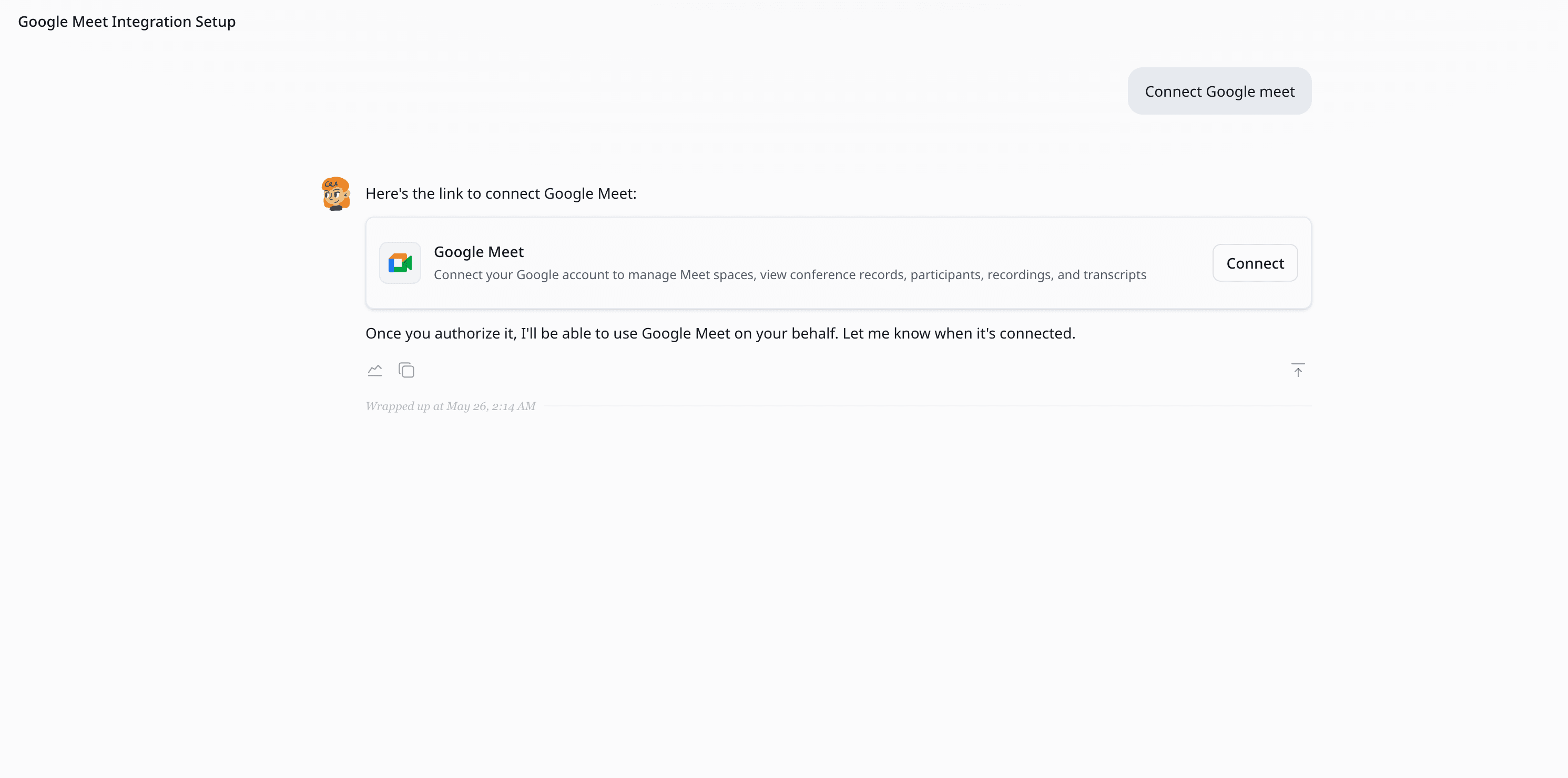
Depending on where you're starting from, the card shows one of two buttons:
- Connect — if the tool isn't linked to your workspace yet. Click it and log in to the service the way you normally would (standard OAuth or API key). The link sticks at the workspace level, so your teammates can share it.
- Authorize — if the tool is already linked at the workspace level but Zero hasn't been granted access yet. One click and Zero can call the service on your behalf.
Some new tools will show both in sequence. Tools your teammates have already connected just need the Authorize click. Either way, Zero picks the task back up the second you're done and remembers the choice across every future session.
If you'd rather set things up in advance, the Connectors panel in your workspace lets you connect and authorize in bulk.
A taste of what Zero can do
A few examples of how connectors translate into actual work:
- Notion — create pages, update databases, file meeting notes, draft proposals, search across your workspace.
- Slack — send DMs, post to channels, summarize long threads, follow up on stale conversations.
- Gmail — read your inbox, draft replies, schedule sends, surface what actually needs your attention today.
- GitHub — open issues, comment on PRs, triage the backlog, draft release notes.
- Linear — file tickets, move tasks across statuses, generate sprint summaries.
- Stripe, HubSpot, Calendar, Drive, Sheets, Docs… — same idea, in whichever tool the work lives.
You never have to explain how a tool works. Zero already knows. You describe the outcome; it handles the clicks.
You choose what Zero can do
Authorizing a tool isn't all-or-nothing. For every connector, you pick which actions Zero is allowed to take — and you can tighten or loosen those choices any time from the agent's Authorization tab.
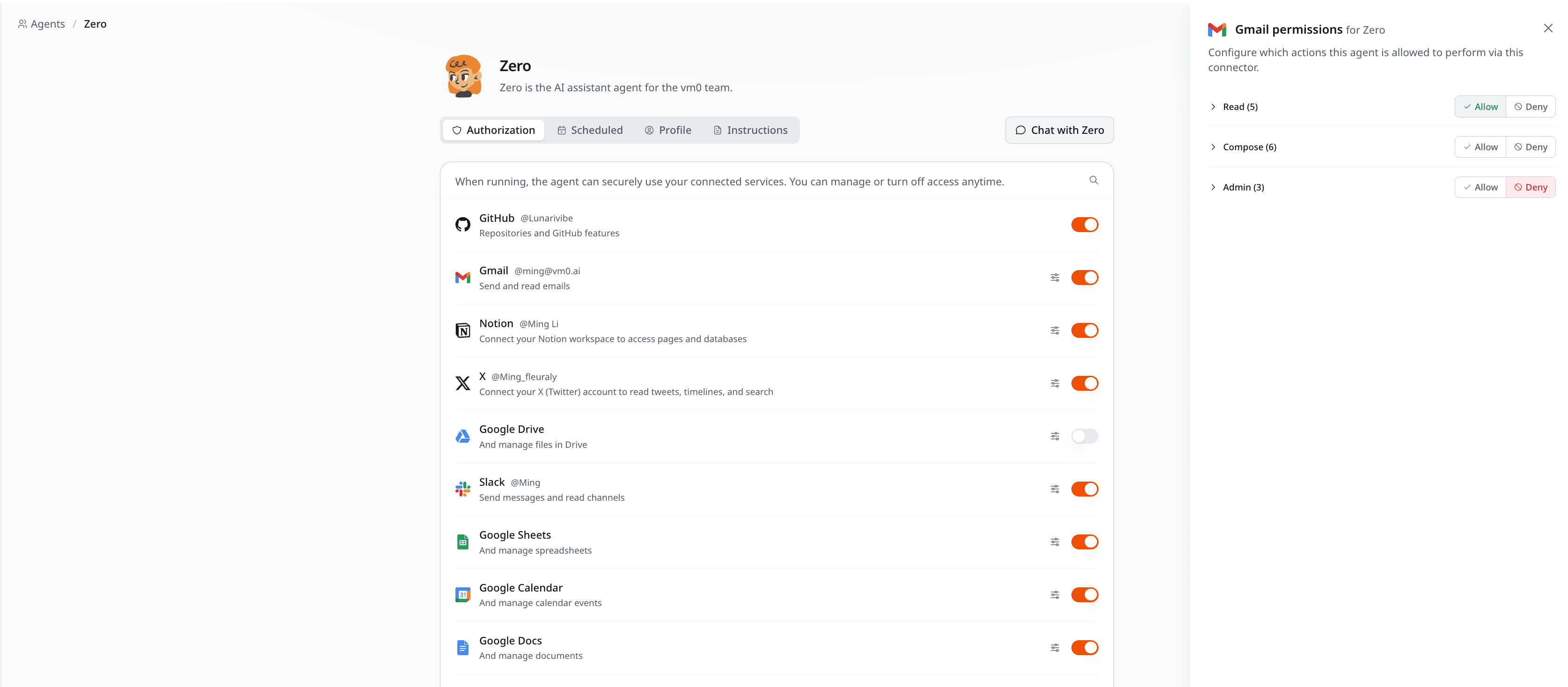
A few examples of how teams scope it:
- Gmail — let Zero read your inbox and draft replies, but never send anything out on your behalf.
- Slack — let Zero read channels and summarize threads, but block posting in your name.
- GitHub — let Zero open issues and comment on PRs, but deny anything destructive like force-pushing or deleting branches.
- Linear — let Zero create and update tickets, but not close or delete them.
- Notion — let Zero read pages and add comments, but block destructive updates to databases.
The defaults lean conservative. Zero usually starts with read-only and asks again, separately, when it needs more. You stay in control of every category, and the audit log records every call Zero makes.
Built-in and custom
VM0 maintains 100+ connectors out of the box, so most popular tools are one click away. See the catalog for the full list.
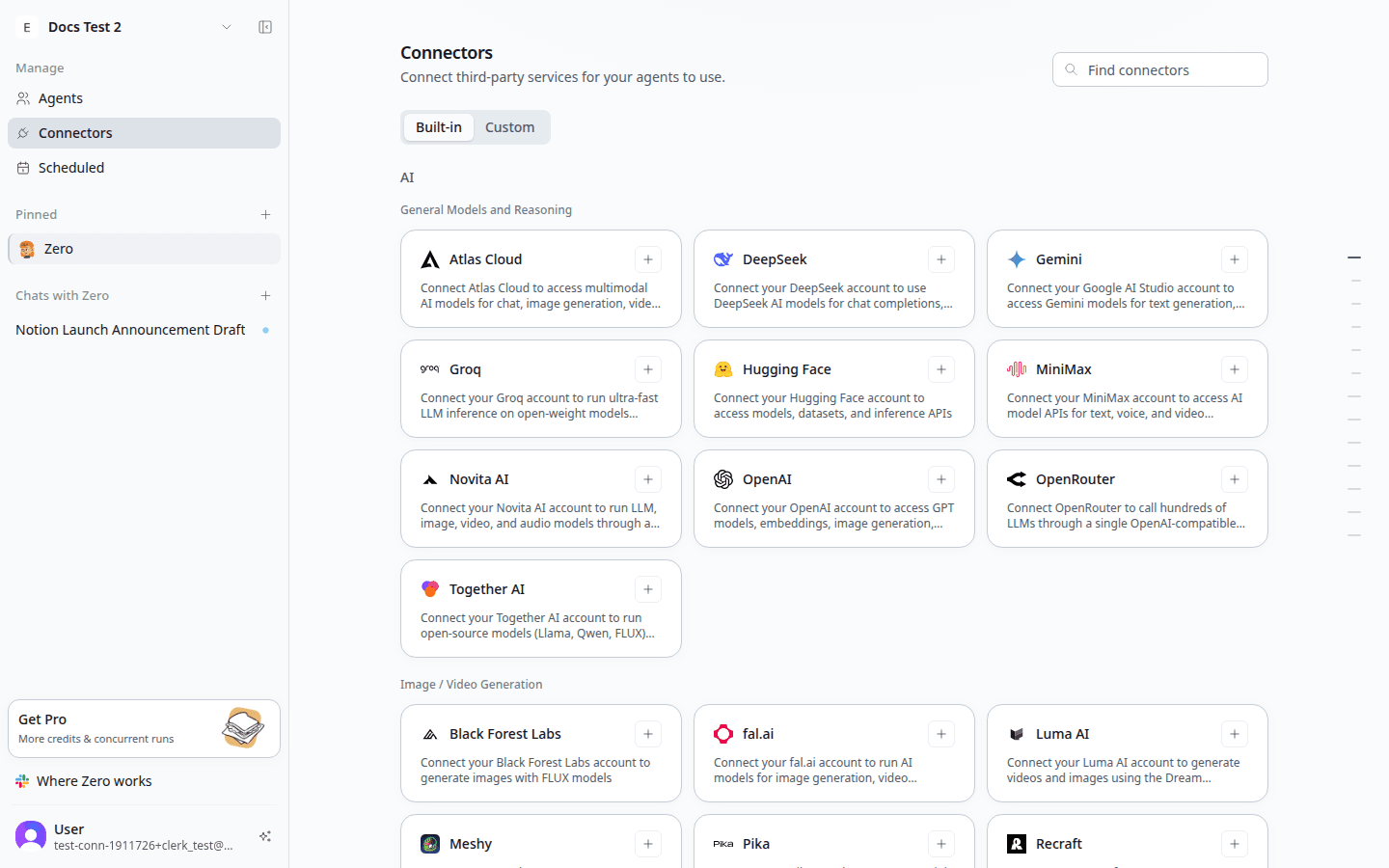
If your tool isn't there — an internal API, a regional service, something niche — you can add a custom connector with an API key or OAuth credential. Zero treats it exactly like a built-in one, including the same per-action permissions.
A note on safety
Connecting a tool to Zero isn't the same as handing over a password. Everything runs through standard OAuth or API flows, the same ones every reputable SaaS uses.
Your credentials stay with VM0, never with the model. Sensitive actions — sending external email, charging cards, posting publicly — always pause for your sign-off before going out. Disconnecting takes one click and cuts access immediately.
If you want the full picture, see Permissions.
What's next
- Catalog — every tool Zero supports out of the box.
- Custom connectors — add anything else.