
This week's headline is Workflows: a new way for your team to capture the processes it repeats as reusable skills your agents can run. Alongside it, Claude Sonnet 5, per-agent connector access now reachable from the Connectors page, and one-click data export. Here's what changed.
Workflows
A workflow is a reusable SOP for a task: your team's best-practice process, written down once and run the same way every time. Think of it as another way to give your agents skills. Describe how something should be done, and your agent can follow it. Write one from scratch, or distill it from work you've already done in chat.
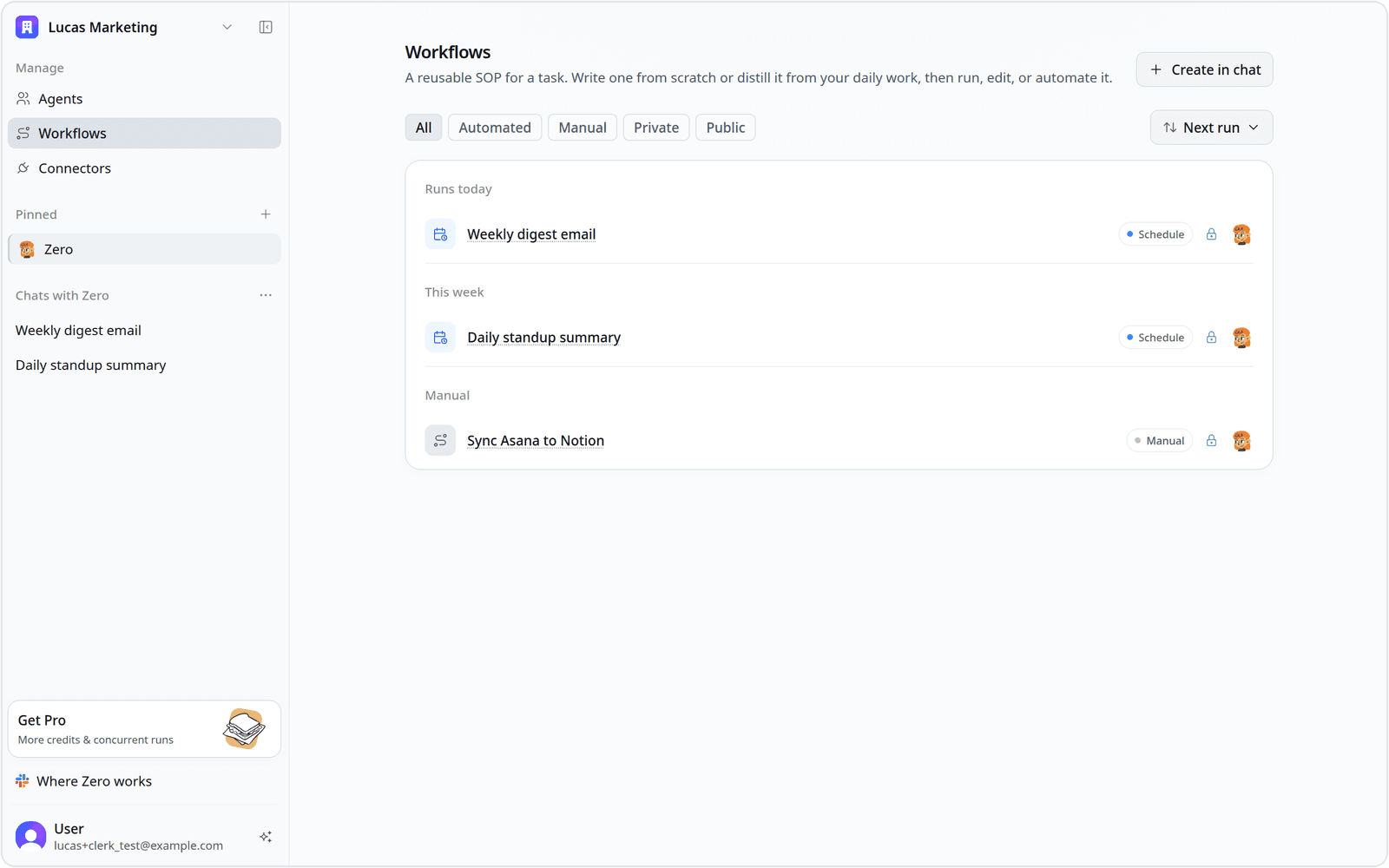
Every workflow in your workspace now lives on a dedicated Workflows page. Each row shows the workflow, how it's triggered, whether it's private or shared, and which agent runs it. A Next run view groups them by when they run next, and a one-line filter helps you find the one you're after.
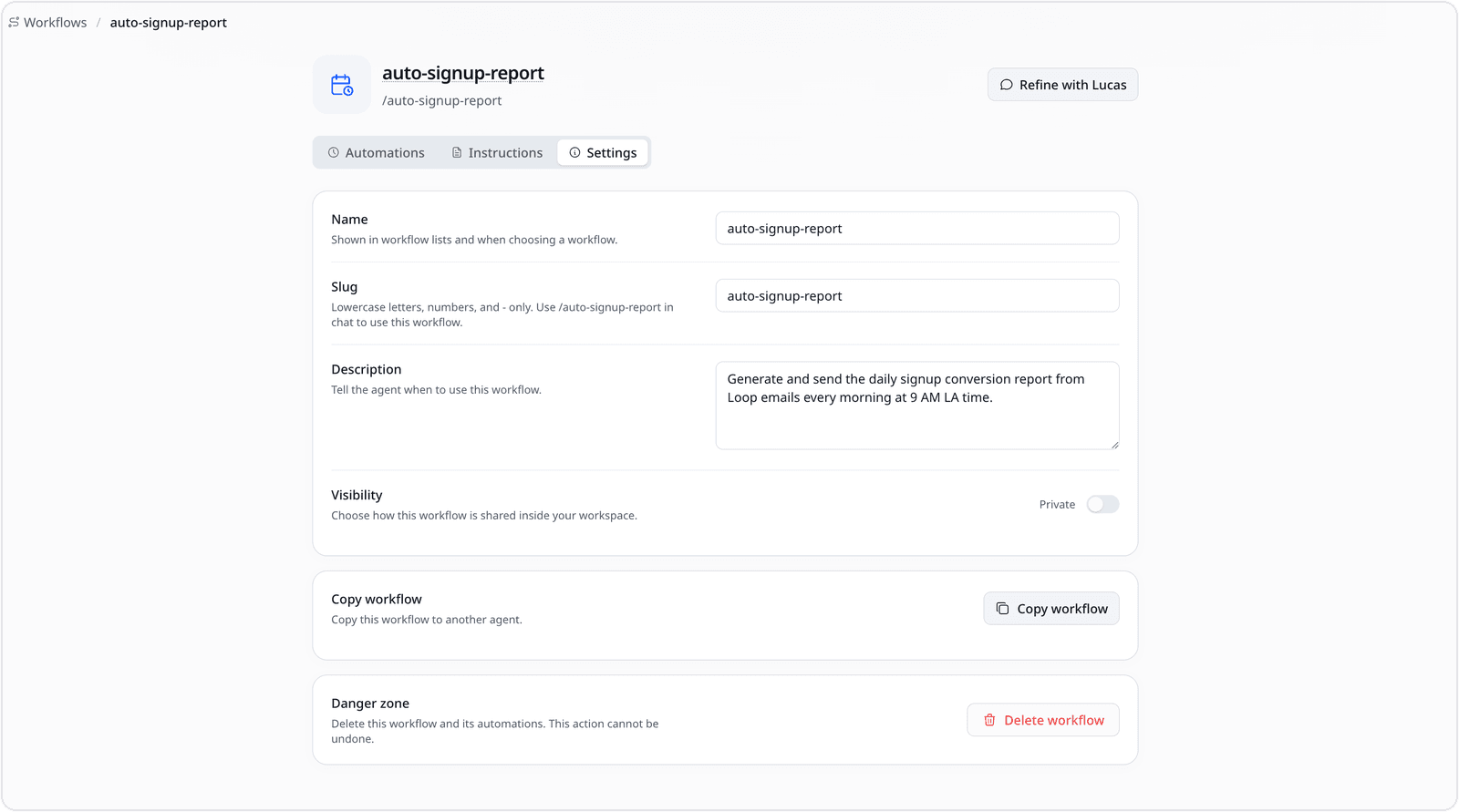
Open a workflow to shape it. The Settings tab holds its name and /slug (type the slug in chat to run the workflow on demand), plus a description that tells the agent when to reach for it, a visibility toggle to keep it private or share it across your team, and options to copy it to another agent or delete it. That's how an SOP one person writes becomes something the whole team reuses.
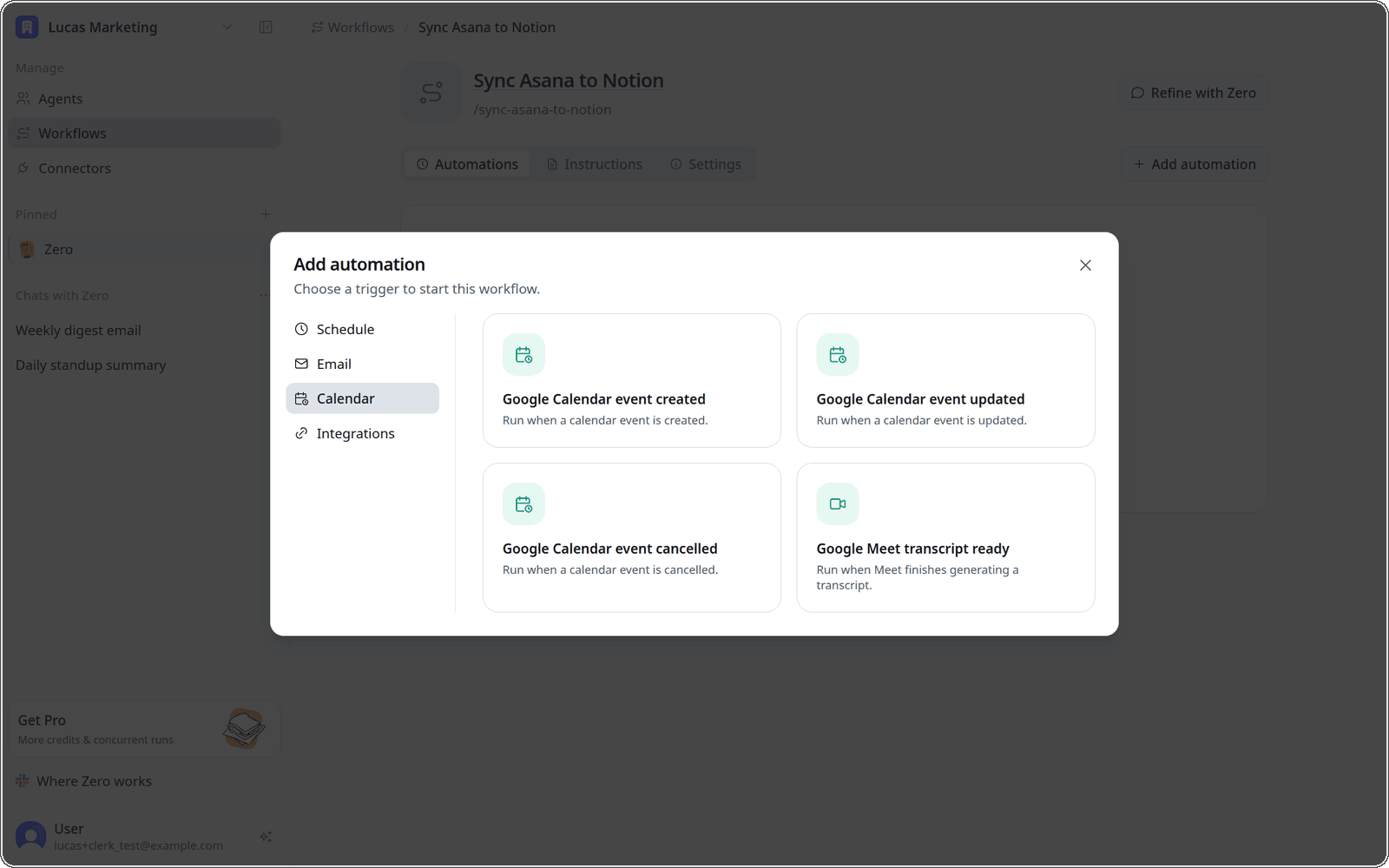
Because a workflow is just a reusable procedure, you can also put it on autopilot. Attach a trigger from the categorized picker (Schedule, Email, Calendar, or Integrations) and it runs on its own. Five new trigger types landed this week: Google Calendar event created, updated, and cancelled; a Google Meet transcript finishing; and a GitHub label being applied.
Claude Sonnet 5
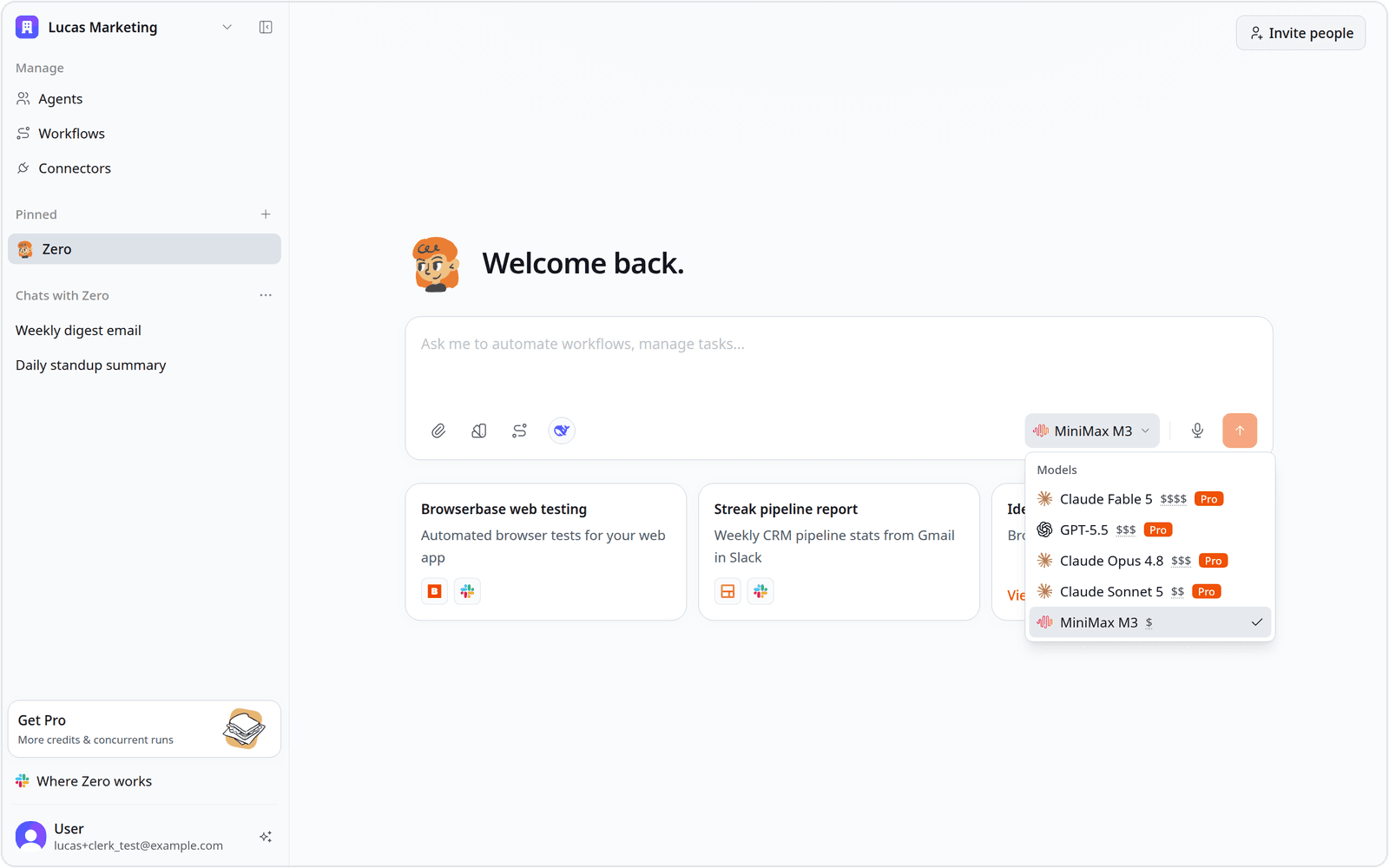
Claude Sonnet 5 is now selectable across Zero: Anthropic direct, Claude Code, OpenRouter, Vercel AI Gateway, and vm0 managed routing. New workspaces start on a refreshed default set (Claude Opus 4.8, Claude Sonnet 5, MiniMax M3, and GPT-5.5), and Claude Fable 5 is back for anyone who wants it.
Per-agent connector access
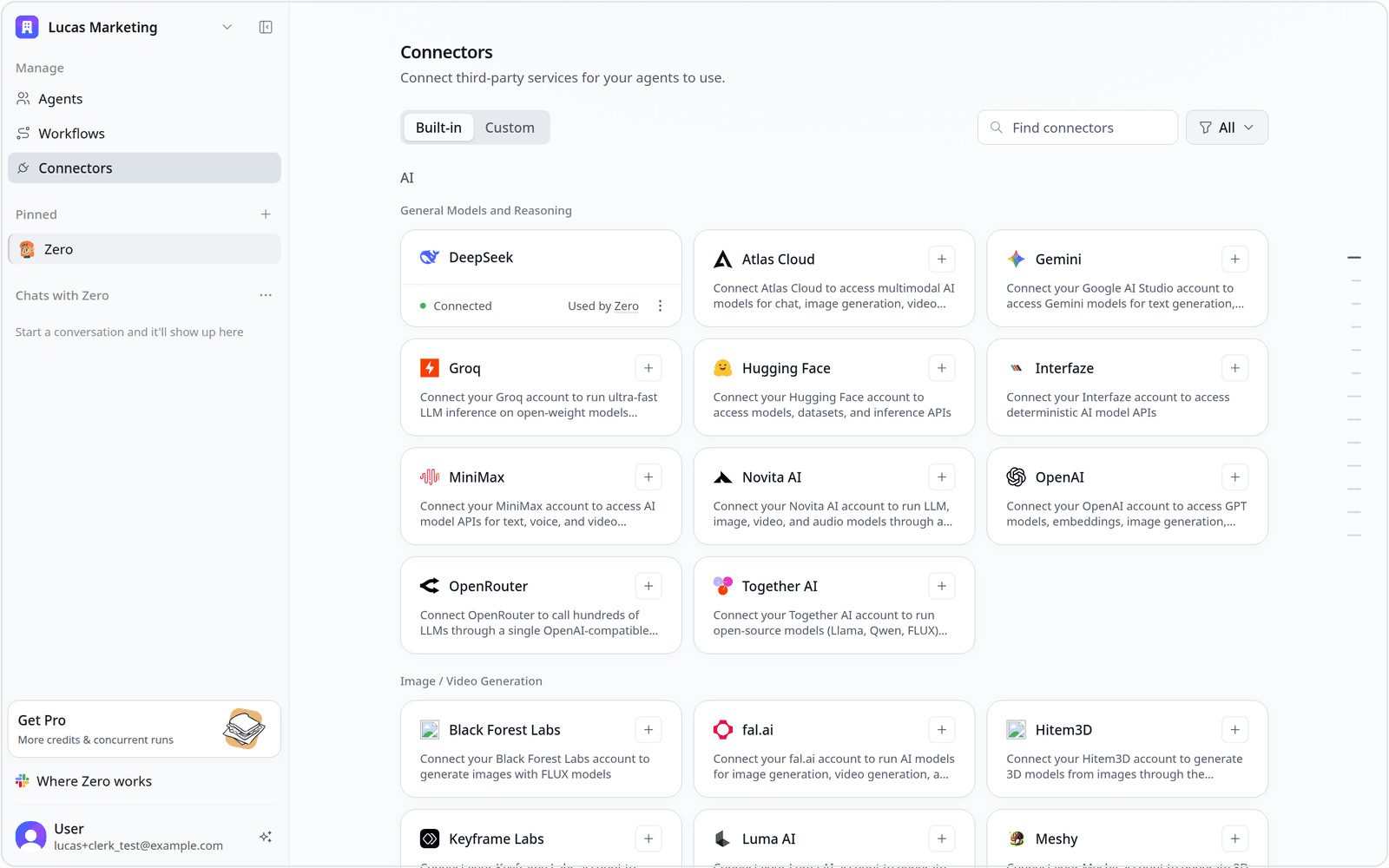
Choosing which agents can use a connector isn't new, but until now you could only do it from an agent's detail page. This week it's also on the Connectors page: each connected service shows a Used by link that opens the same access controls.
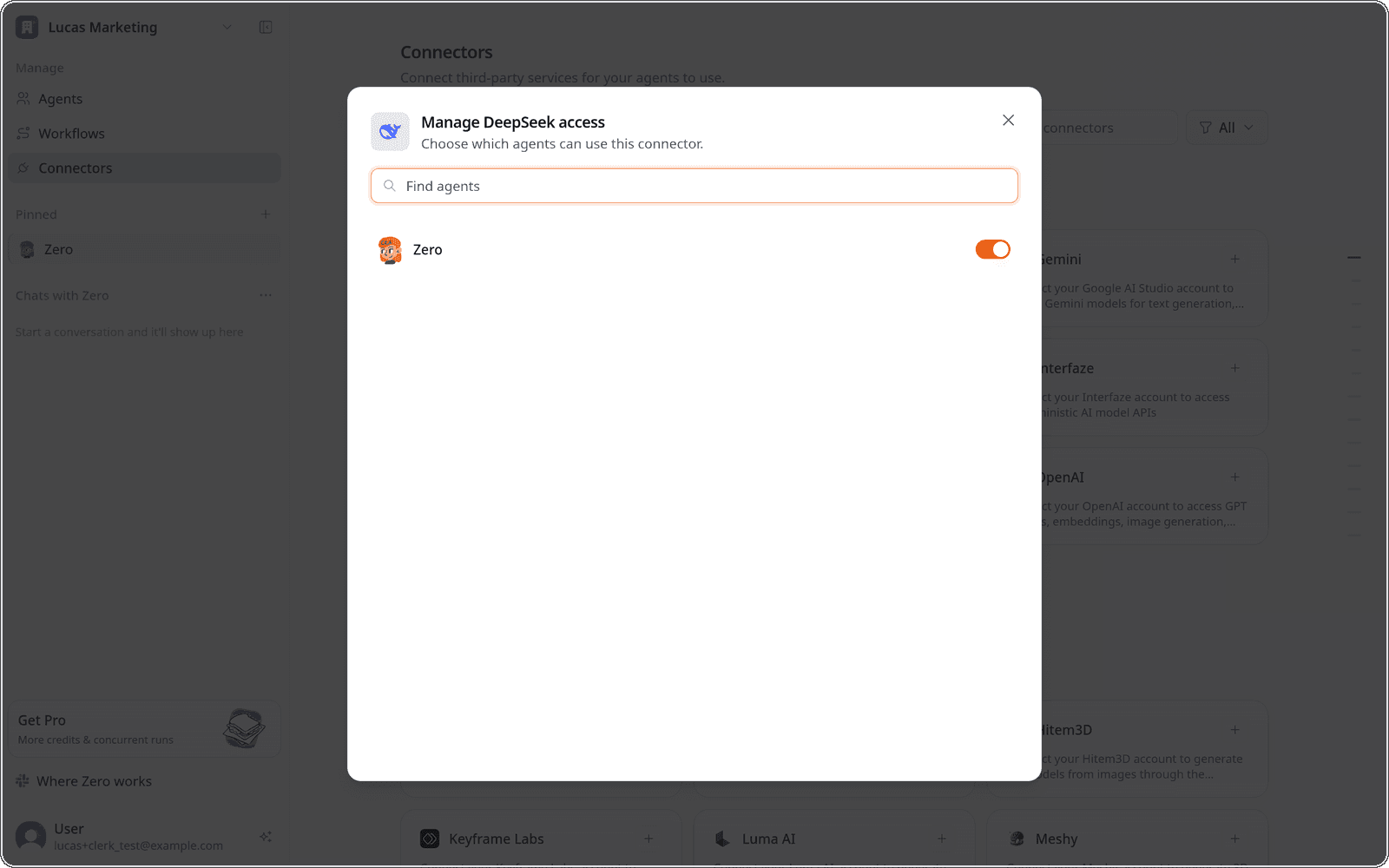
Open that link to choose exactly which agents may use the connector. One you set up for a single agent won't quietly become available to the rest.
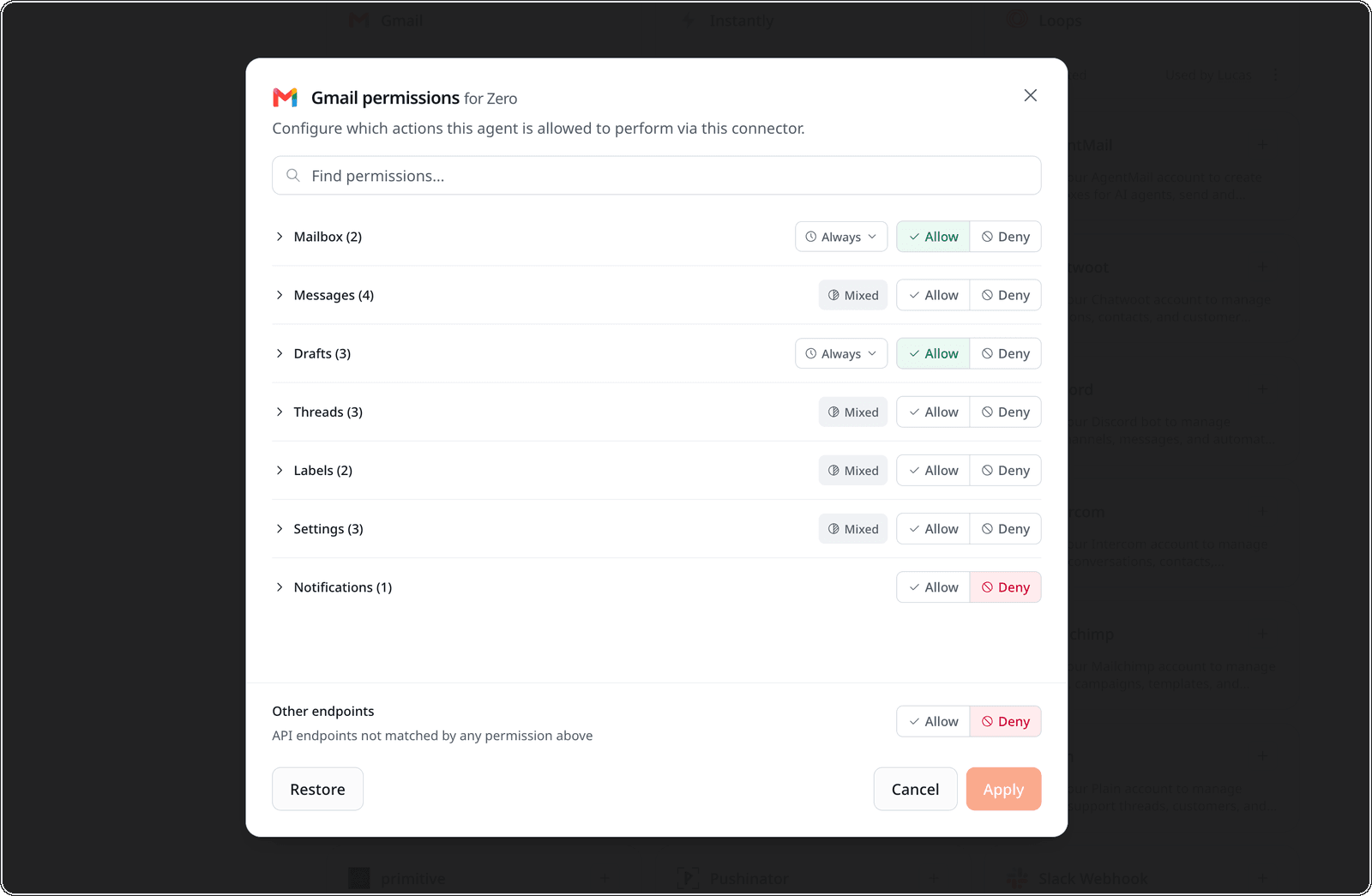
You can also set what a connector is allowed to do. For Gmail, Allow or Deny each category (Mailbox, Messages, Drafts, Threads, Labels, Settings) and give every grant its own duration. Nothing runs on a permission you didn't approve.
Data export
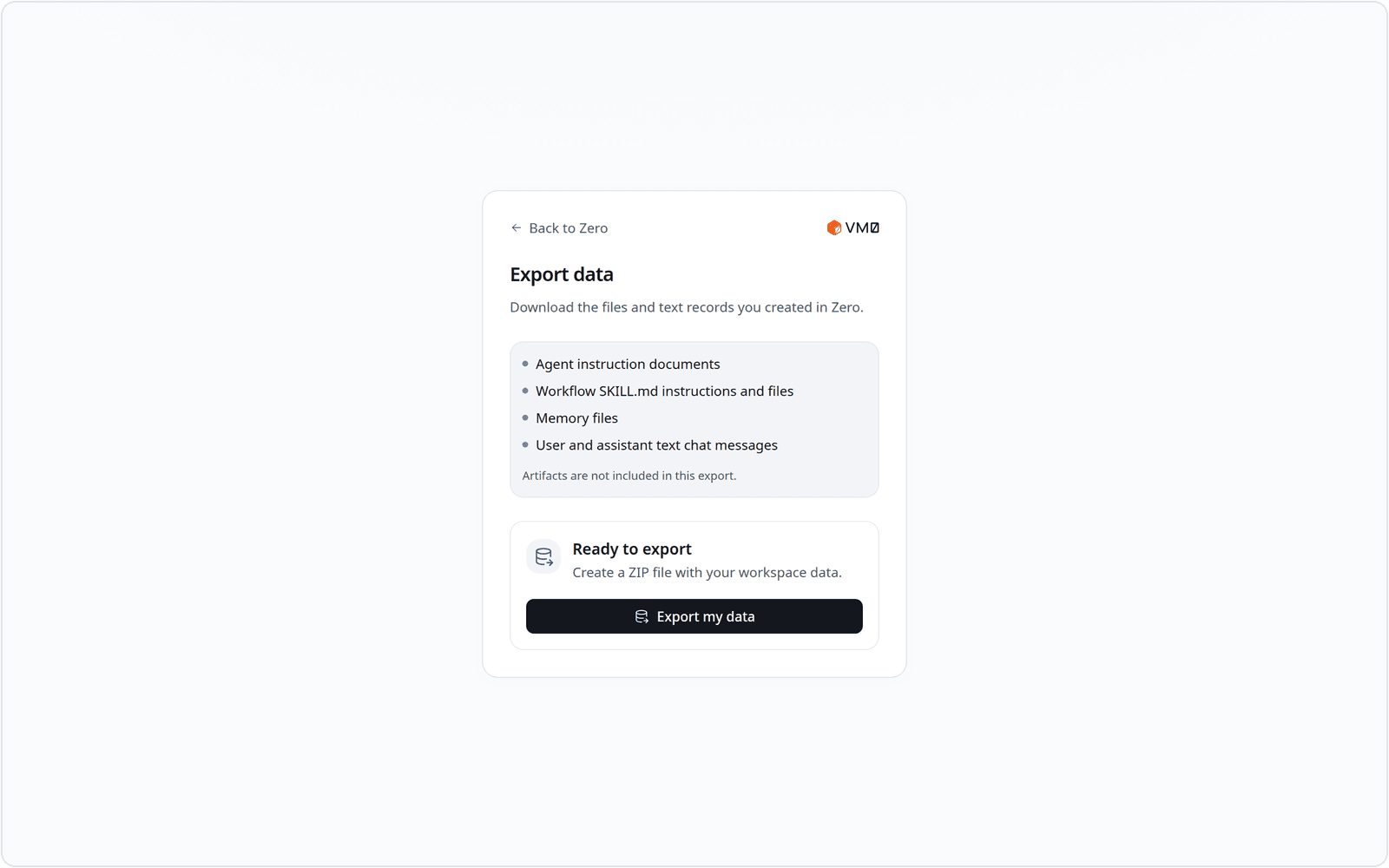
Download everything you've made in Zero as a single ZIP: agent instruction documents, workflow SKILL.md instructions and files, memory files, and your text chat messages. It's under Export data in your account menu.
Smaller updates
A few smaller upgrades that add up:
- Cycle your pinned agents from anywhere with
Ctrl+Shift+[andCtrl+Shift+]. Move between the agents you use most without reaching for the mouse. - Live artifact download progress. Large downloads show a progress indicator instead of leaving you guessing.
That's the week. Write up a workflow your team repeats and tell us what you turned into an SOP. More soon.


