Most people treat generating a video as a project. Pick a model, read its API docs, figure out the right resolution and duration parameters, handle the asynchronous job, wait, download. With Atlas Cloud connected to VM0, it collapses into one sentence in a chat. This guide shows you how to set that up, using a cyberpunk city video as the running example.
First, a quick word on what the two pieces actually are.
What is VM0?
VM0 is a platform for AI teammates. You connect the tools you already use — Slack, GitHub, Notion, Gmail, model providers, and a hundred others — and your agent, Zero, does real work across them on your behalf. You talk to it in plain language, and it handles the steps in between.
The part that matters here: when you connect a service to VM0, your API keys and tokens stay on the platform. The agent never sees the raw credential. VM0 injects it per request, so you can hand Zero access to a powerful model provider without handing over the key itself. Connect a tool once, and every future request just works.
What is Atlas Cloud?
Atlas Cloud is an AI inference platform. Instead of signing up with a different vendor for every model you want, you get one account and one API key that reach a large catalog: chat and reasoning models, image generation, and a strong lineup of video models like Seedance 2.0, Kling v2.5 Turbo Pro, and Veo 3.1.
It is especially good for video, which is where most providers fall short. The catalog is broad, the models are current, and jobs run asynchronously, so you can request something ambitious and let it cook.
Put the two together and the value is simple: Atlas Cloud has the models, and VM0 makes them usable by just asking. You never open an API reference.
Step 1 — Connect Atlas Cloud
Open Connectors in the left sidebar. On the Built-in tab, scroll to AI → General Models and Reasoning, find the Atlas Cloud tile, and click +.
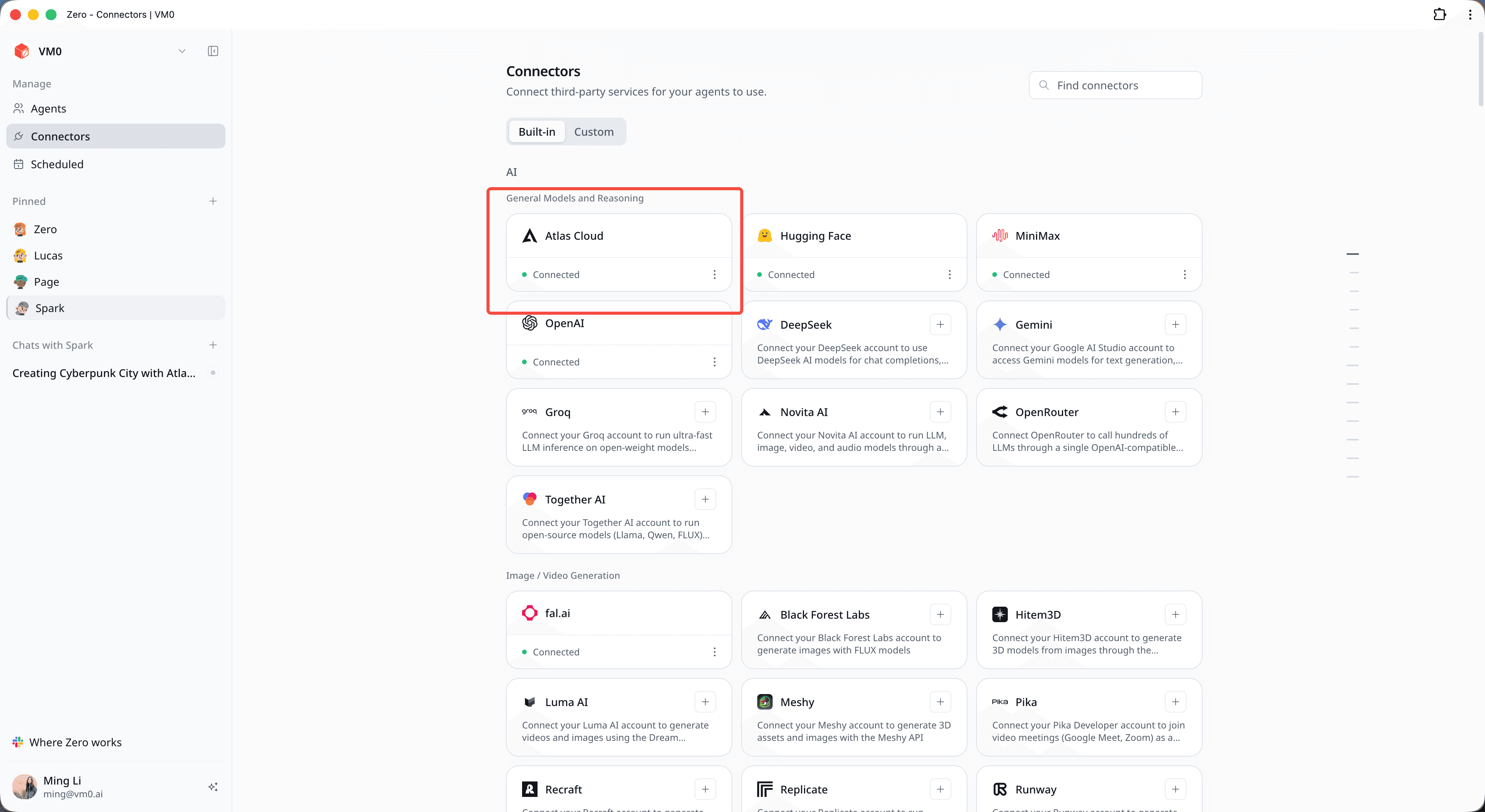
Paste your Atlas Cloud API key and authorize. The tile flips to a green Connected state, and you are done. Your key is stored securely in VM0 (as ATLASCLOUD_API_KEY), and Zero uses it without ever seeing it.
You only do this once. Atlas Cloud now lives in your catalog next to OpenAI, Gemini, Groq, and the rest, and Zero can pull from it whenever a task calls for it.
Step 2 — Ask for what you want
Open a chat and describe the video. No model name, no parameters:
Generate a cyberpunk city video with Atlas Cloud.
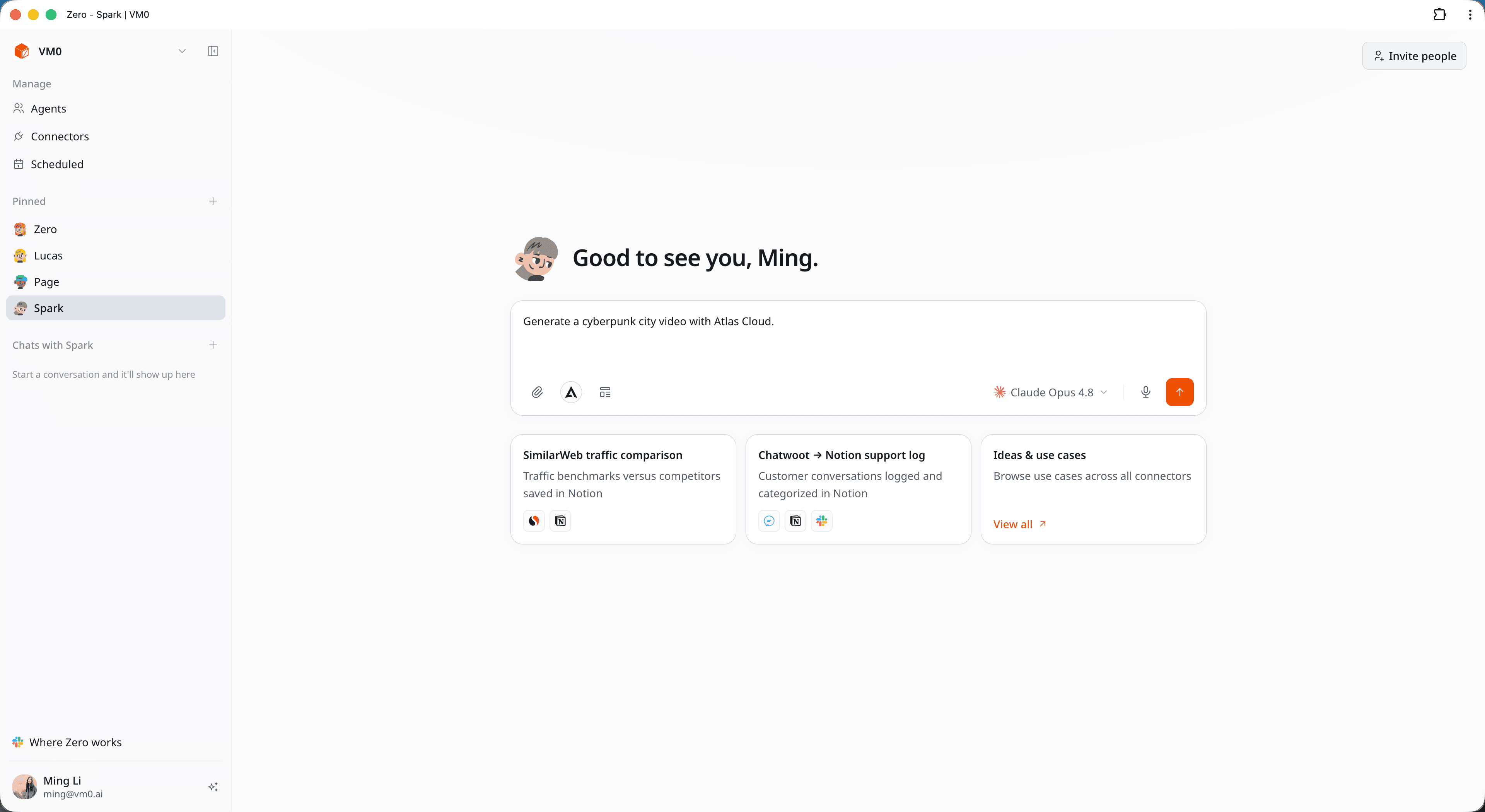
Or get specific if you have a vision in mind:
Generate an 8-second cinematic flythrough of a neon megacity at night — pink and cyan skyscrapers, holographic billboards, flying cars, rain-slicked streets, blade-runner mood. 1080p, 16:9, with synced audio. Use Atlas Cloud.
Step 3 — Watch Zero handle the rest
Everything that would normally be your job, Zero does in the background, narrating as it goes.
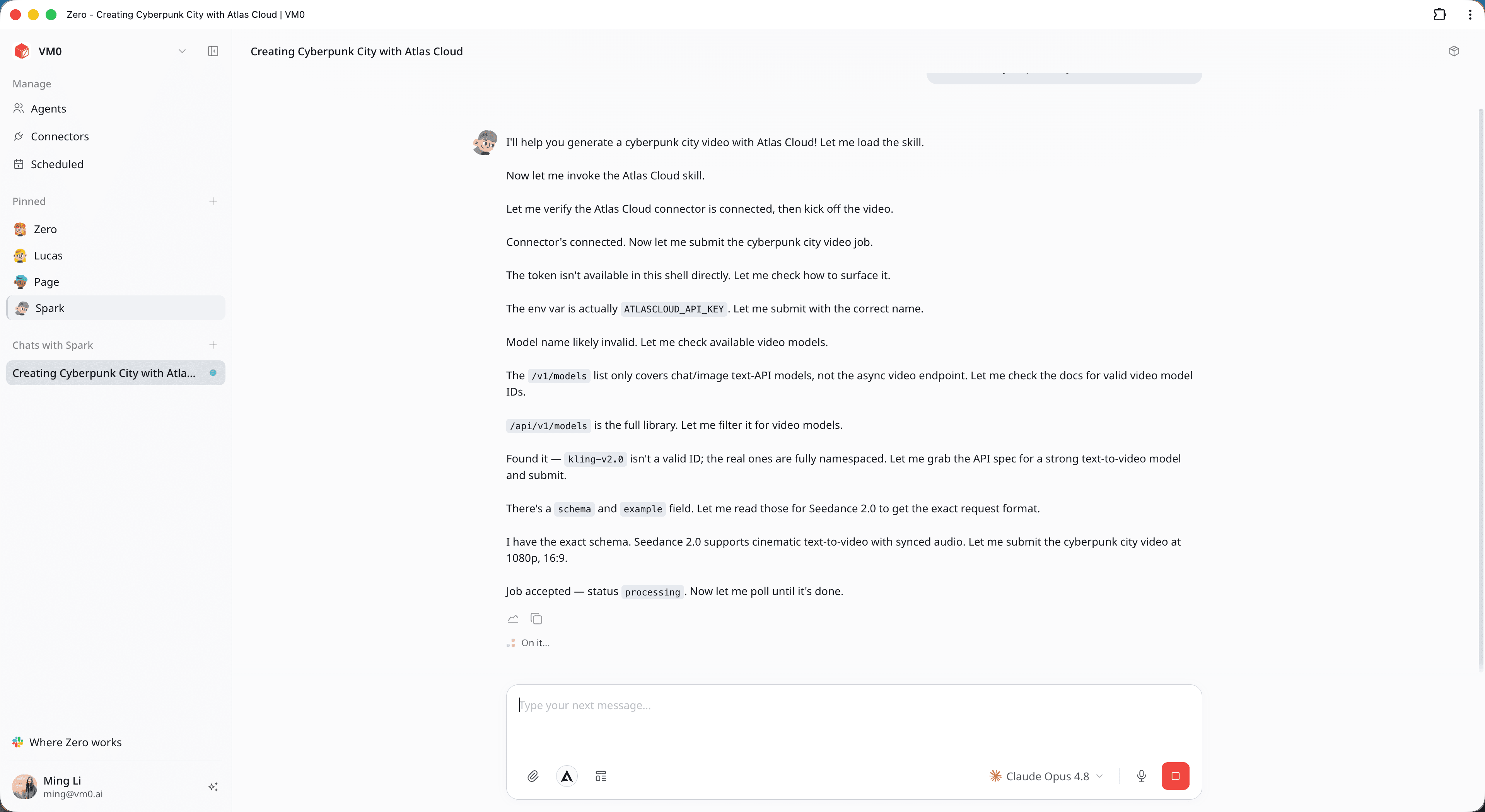
It confirms Atlas Cloud is connected, then browses the catalog for the right video model. Atlas Cloud's video models use fully namespaced IDs like bytedance/seedance-2.0/text-to-video, which Zero resolves for you. It reads the model's schema and example so the request is formatted correctly — resolution, aspect ratio, duration, audio — then submits the job.
Video generation is asynchronous, so the job comes back as processing. Zero polls it automatically and waits until the render is finished. No babysitting on your end.
Step 4 — Get your video and refine
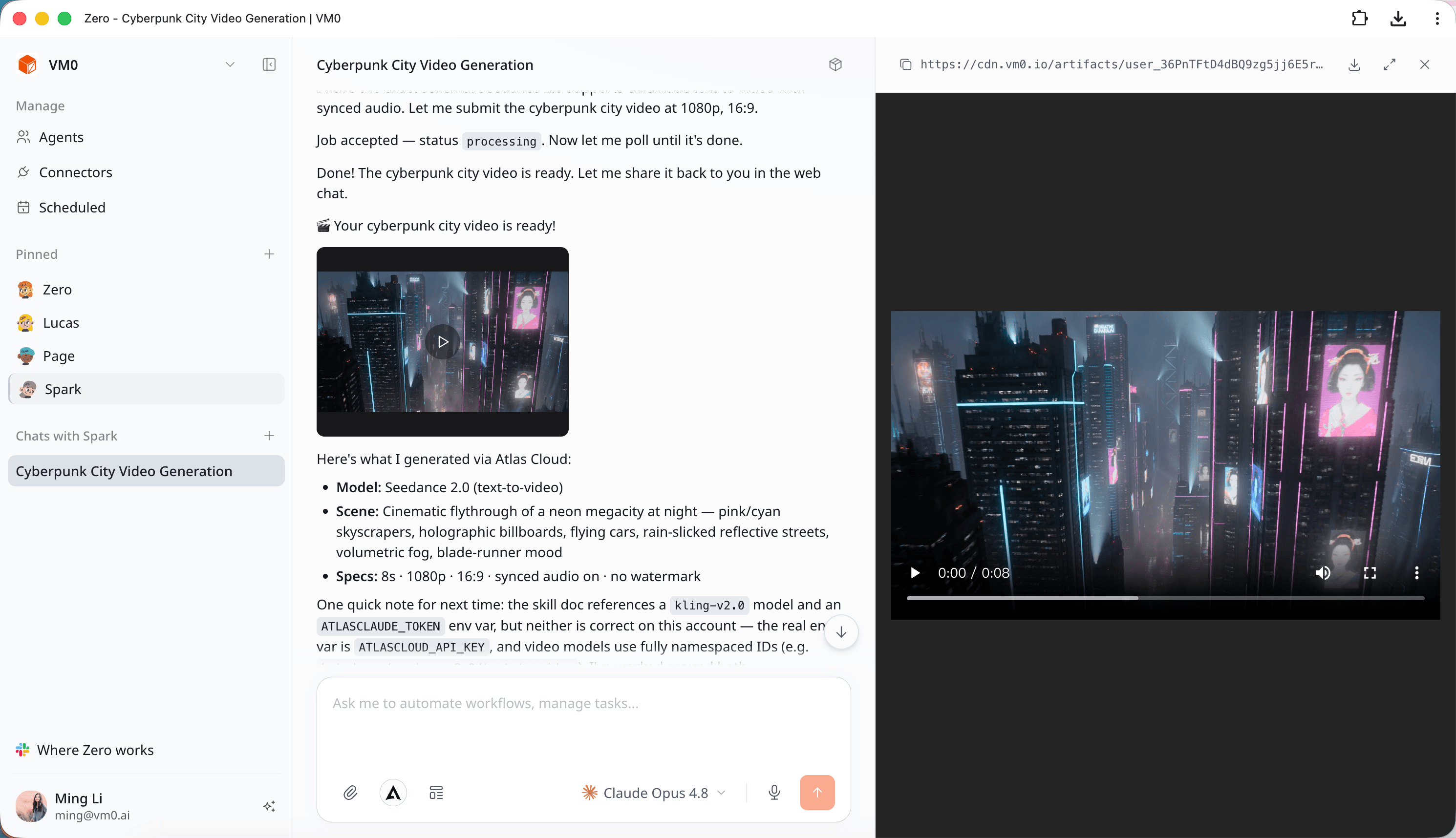
Zero drops the finished video straight into the chat with a short rundown of what it made:
- Model: Seedance 2.0 (text-to-video)
- Scene: Neon megacity flythrough, blade-runner mood
- Specs: 8s, 1080p, 16:9, synced audio, no watermark
Here is the actual clip Atlas Cloud generated for this guide:
You can open the result in VM0's built-in viewer to play it full-screen or download the MP4:
If it is not quite right, just say so. No re-setup, no new prompt from scratch:
- "Make it a ground-level street walk instead of an aerial flythrough."
- "Give me a vertical 9:16 cut for social."
- "Try Kling v2.5 Turbo Pro for a different look."
- "Tone it down — daytime cyberpunk, fewer crowds."
Beyond video
Video is the showcase, but the connect-once pattern covers everything Atlas Cloud offers. The same chat can route a reasoning task to one of its general models, generate a still image, or do image-to-video — all from the one connection you already made.
About Atlas Cloud
Atlas Cloud is a full-modal AI inference platform that gives developers a single AI API to access video generation, image generation, and LLM APIs. Instead of managing multiple vendor integrations, you connect once and get unified access to 300+ curated models across all modalities.
Check out Atlas Cloud's new coding plan promotion for more budget-friendly API access.
If something goes wrong
If the tile still says "Connect," re-enter your API key. If you ever see a "model not found" error, it usually means a model ID was supplied by hand — let Zero resolve the namespaced ID instead. A job sitting on processing for a while is normal for larger video renders; Zero is still polling. And if a specific agent cannot reach the connector, authorize Atlas Cloud for that agent in its connector settings.
Connect once, then describe what you want. That is the whole workflow.